

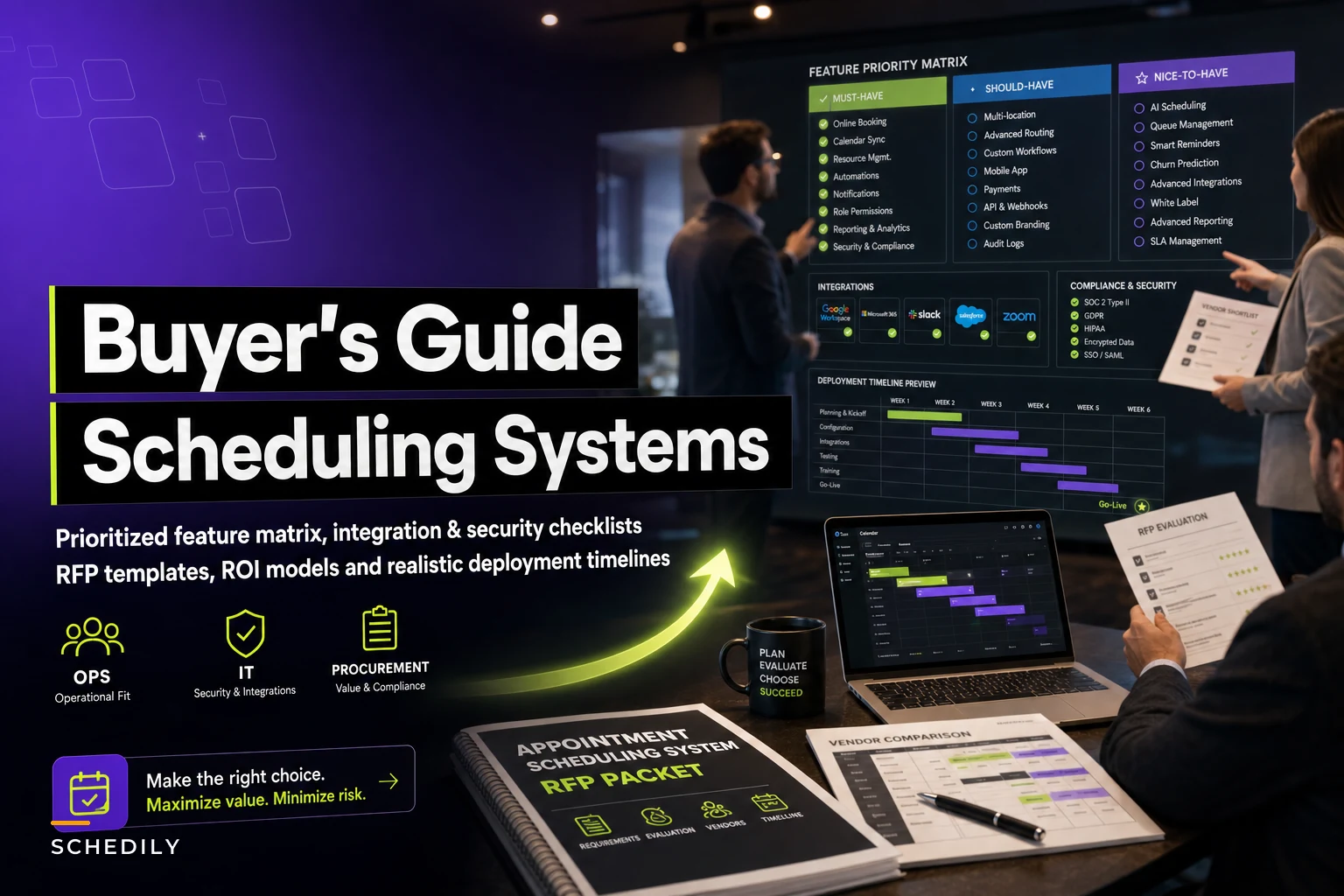

Most scheduling software buying decisions fall apart in the same spot: the demo looks great, the sales team answers every question confidently, and then six weeks after go-live someone in operations realizes the resource-locking logic doesn't actually hold under concurrent bookings, or the "open API" is really three endpoints and a webhook that fires twice.
The problem isn't a lack of options. There are hundreds of appointment scheduling tools, and plenty of them are genuinely good. The problem is that buying teams evaluate the wrong things — they score the UI and the price, skip the stuff that only breaks at scale, and discover the real gaps when the business depends on them.
This guide is for the people who actually own that decision: operations, IT, and procurement. It assumes you already know what scheduling software does. What follows is how to evaluate it properly — feature priorities that matter, integration and security questions that reveal weak vendors, deployment milestones that keep rollouts from stalling, and RFP questions that get you past the sales script.
If you haven't mapped your internal requirements yet, do that first. This guide pairs well with the work of building a company-wide scheduling system that maps customer journeys to policies, handoffs, and escalations — you want your own blueprint in hand before scoring vendors, otherwise you're grading them against their feature list instead of your needs.
Start by separating "must-have" from "demo candy"
The most common evaluation mistake is treating every feature as equally weighted. A vendor shows twelve capabilities, you nod at all twelve, and the scorecard ends up treating a polished booking widget the same as transactional integrity under load.
In real operations, most of your long-term pain comes from maybe five or six capabilities — and they're rarely the ones that sparkle in a demo. The flashy stuff (customizable booking pages, color themes, SMS templates) is table stakes. Every serious vendor has it. It shouldn't move your decision much.
What actually separates vendors is the unglamorous machinery underneath. Here's a tiered checklist worth weighting heavily:
Tier 1 — Non-negotiable (deal-breakers if weak):
-
Concurrency handling — what happens when two people book the last slot within the same second
-
Multi-resource booking logic (person + room + equipment held atomically, not sequentially)
-
Role and permission granularity for staff, managers, and admins
-
Audit logging that records who changed what and when
-
Data export you control, in a usable format, without a support ticket
-
Timezone and DST correctness in storage and display
Tier 2 — Important but can have workarounds:
-
Calendar sync behavior and conflict resolution
-
Automated reminders and configurable cancellation windows
-
Reporting and KPI visibility
-
Payment capture, deposits, and refund handling
-
Waitlist and overbooking controls
Tier 3 — Nice to have:
-
Booking page branding
-
Customer-facing self-reschedule
-
Pre-built template libraries
-
Native marketing features
If a vendor demos beautifully on Tier 3 and gets vague on Tier 1, that's not a neutral signal. That's the signal.
Integration requirements: where "yes" usually means "sort of"
Integration is where buying teams get burned most, because almost every vendor says yes to "do you integrate with X?" The honest answer is usually "there's an endpoint, and it mostly works, and here are the three cases where it quietly doesn't."
Eliminate scheduling conflicts and missed meetings.
Schedily helps you organize and manage all appointments and team availability effortlessly.
- Unified appointment and resource management
- Automated notifications & reminders
- Team calendar synchronization
No credit card required
You need to pressure-test integration claims with specifics. "Do you have an API?" is useless. The questions that matter:
-
Is write access available, or is the API read-only for appointments?
-
How do you handle idempotency when a booking request is retried?
-
What happens to downstream systems when a booking is modified versus created?
-
How are failed syncs surfaced — silently dropped, logged, or alerted?
-
What's the realistic rate limit, and what happens when you hit it?
Ask for sandbox access and run synthetic create/modify/cancel tests during evaluation.
A typical example of how this goes wrong: a mid-market clinic group integrates their new scheduler with an existing EHR. The demo sync worked fine. Three weeks in, they notice cancellations in the scheduler weren't propagating to the EHR roughly 4–5% of the time — enough that front-desk staff started keeping a side spreadsheet of "appointments that might still be live." The integration technically existed. It just didn't handle the modify-and-cancel edge cases reliably, and nobody tested those during evaluation.
The fix on the buying side is simple and almost nobody does it: ask for a sandbox and run your own integration test before signing, not after. Build five or six synthetic bookings that exercise create, modify, cancel, and double-booking scenarios, and watch how the data actually flows. A vendor who won't give you sandbox access during evaluation is telling you something.
Security and compliance: the questions that filter out weak vendors
Security reviews often get delegated to a checkbox form, which is exactly how you end up with a vendor who answers "yes, we're secure" and nobody probes further. The useful move is asking questions specific enough that a thin security posture can't hide behind generalities.
| Area | Weak answer sounds like | Strong answer sounds like |
|---|---|---|
| Data encryption | "Everything's encrypted" | Specifics on at-rest and in-transit, key management approach |
| Access control | "We have user roles" | Granular permission matrix, SSO/SAML support, MFA enforcement |
| Audit trails | "You can see activity" | Immutable logs, exportable, with retention policy stated |
| Data residency | "It's in the cloud" | Named regions, ability to specify location if required |
| Breach handling | "We take security seriously" | Defined notification SLA, documented incident process |
| Sub-processors | (often no answer) | A published list and how changes are communicated |
If you operate in a regulated space — healthcare, finance, anything touching personal data across borders — add retention and consent handling to the list. The booking lifecycle generates more sensitive data than people expect: contact details, health context in notes fields, payment tokens, location history. A scheduler is a data processor whether the vendor frames it that way or not.
One pattern worth flagging: vendors who can produce a SOC 2 report but get uncomfortable when you ask to actually read it. The certificate on the website is marketing. The report is the substance. Ask for it under NDA during evaluation.
Deployment and change-management milestones
A scheduling system can pass every feature test and still fail at rollout, usually because the deployment plan was an afterthought. Operations teams consistently underestimate how much scheduling is muscle memory — staff who've booked a certain way for years don't switch cleanly just because the new tool is objectively better.
A milestone sequence that keeps rollouts honest:
-
Discovery and configuration sign-off — your internal requirements mapped to vendor config, agreed in writing before build. Skipping this is how you get a system configured to the vendor's defaults instead of your operation.
-
Sandbox / parallel environment — a working instance with real-ish data where ops can click around before it's live.
-
Integration validation — the synthetic-booking tests described earlier, run and signed off.
-
Pilot with one team or location — not the whole company. Pick a group that's representative but not your highest-volume, highest-risk unit.
-
Shadow period — run old and new in parallel long enough to catch the edge cases that only appear in real traffic. A week or two minimum for anything non-trivial.
-
Staged cutover — expand location by location or team by team, with clear rollback criteria defined before you start.
-
Post-go-live review — at 30 and 60 days, check whether the problems you bought the system to solve actually went away.
Here's a simple visual of the staged deployment workflow.
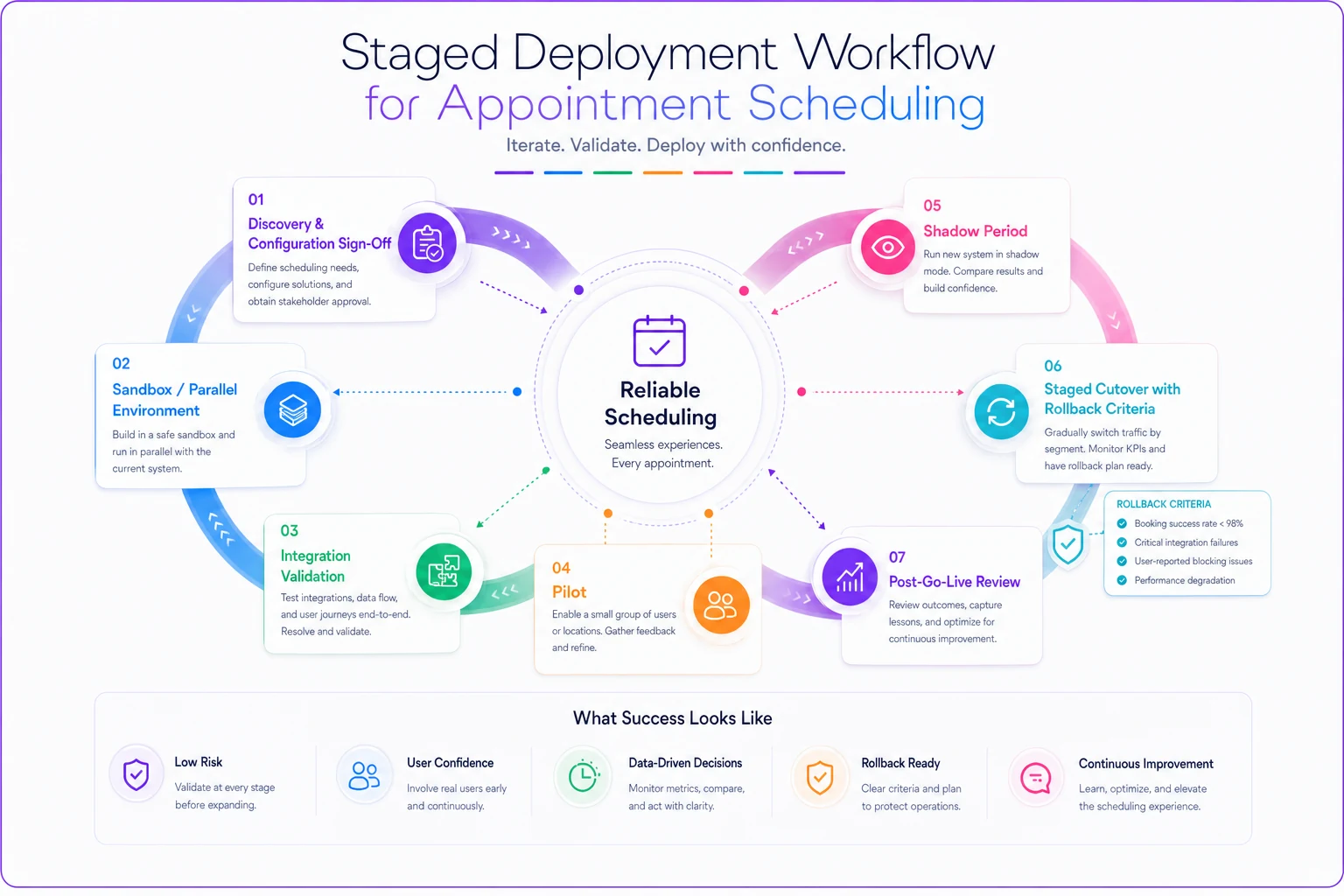
The milestone most teams skip is defining rollback criteria in advance. If you don't decide beforehand what "this isn't working, revert" looks like, you'll keep limping forward through a bad cutover because nobody wants to be the one to call it.
When a phased rollout is the wrong call
Phasing isn't always right. If you're a single-location business with a handful of staff, running parallel systems for two weeks creates more confusion than it prevents — you'll have people double-entering bookings and getting frustrated. Small, simple operations are often better served by a clean weekend cutover with a solid rollback plan. Phasing earns its complexity at scale, not before it.
ROI and pricing: look past the sticker
Scheduling software pricing looks deceptively simple on the surface — per-user or per-location, monthly. The real cost structure hides in the places vendors don't lead with.
Things that quietly inflate total cost:
-
Per-SMS or per-notification fees that scale with your volume
-
Payment processing markups layered on top of the base subscription
-
API call limits with overage charges
-
"Premium support" that's really just reasonable support behind a paywall
-
Implementation and onboarding fees, sometimes several thousand dollars
-
Charges per integration or connector
A business doing around 1,200 bookings a month with reminder texts and confirmations can easily see notification fees add $100–$200 monthly on top of the headline price. Not catastrophic, but it's the kind of thing that turns a "cheaper" option into the more expensive one once you model actual usage.
On the ROI side, be honest about what you're measuring. The return usually shows up in three places: reduced no-shows (even a few percentage points of improvement is real money on high-value appointments), reclaimed admin hours (staff not manually juggling calendars and phone tag), and fewer costly scheduling errors like double-bookings and missed resource conflicts. Put rough numbers to each for your volume before comparing prices. A tool that costs $300/month more but cuts your no-show rate by a couple of points on consultations worth a few hundred dollars each pays for itself quickly. A cheaper tool that can't handle concurrency properly costs you every time two bookings collide.
Who should be cautious about the cheapest option
If your operation has multi-resource bookings, several locations, or any compliance exposure, the budget tier is usually a false economy. Those tools tend to be built for solo practitioners and light use. They'll technically work until the first busy season, then the gaps show up exactly when you can least afford downtime. The cheap tool is the right call when your scheduling is genuinely simple — one resource, one location, low concurrency. Be honest about which one you actually are.
Sample RFP and shortlist questions
Once you've narrowed to three or four vendors, these are the questions that separate them. Send them in writing — the quality and specificity of the answers tells you as much as the answers themselves.
On the product:
-
Walk us through exactly what happens when two users attempt to book the same slot simultaneously.
-
How do you handle a booking that requires a person, a room, and a piece of equipment at once? Are they held atomically?
-
Show us the permission matrix for the roles we'll actually use.
-
How does your system store and display times across timezones and DST changes?
On integration:
-
Is appointment write access available via API? Is it idempotent?
-
Can we have sandbox access during evaluation to run our own tests?
-
How are sync failures surfaced to us?
On security and compliance:
-
Can we review your SOC 2 report under NDA?
-
What's your breach notification SLA and process?
-
Where is our data stored, and can we specify a region?
On commercial terms:
-
What's the full cost at our projected volume, including notifications, payments, and overages?
-
What are the implementation and onboarding fees?
-
What does offboarding look like — can we export everything, and in what format?
That last question matters more than it seems. Ask about leaving before you join. A vendor confident in their product has no problem telling you exactly how you'd get your data out. A vendor who gets evasive about offboarding is showing you the lock-in they're counting on.
A realistic evaluation scenario
Consider a professional-services firm with four locations, around 340 appointments a week, running a mix of in-person and remote consultations. They were evaluating three scheduling platforms, and on paper all three looked close — within a few points on the scorecard.
What changed the decision wasn't a feature. It was the sandbox test. They built six synthetic bookings to exercise concurrency and multi-resource holds. Two of the three vendors handled the simple cases fine but let a room get double-booked when a person and a room were requested together under near-simultaneous requests. The third held the resources atomically and surfaced a clean conflict error.
That single test flipped the ranking. The two "winners" on paper would have shipped the firm a double-booking problem they'd have discovered in production — probably during a busy stretch, probably in front of a client. The cost of catching it during evaluation was a couple of hours of an IT person's time. The cost of catching it after go-live would have been a messy re-evaluation, frustrated staff, and the credibility hit of booking two clients into the same room.
The thing that decided the purchase was invisible on every demo and every feature grid. You only find it by testing the Tier 1 machinery yourself.
Bringing it together
Choosing an appointment scheduling system well comes down to a discipline most buying processes lack: refusing to let the demo set the agenda. Weight the features that break at scale, not the ones that look good in a slide. Test integrations yourself in a sandbox instead of trusting the yes. Read the security report instead of the security page. Define your rollback criteria before cutover, not during a bad one. Model the real cost at your real volume, including all the per-message and overage charges that don't appear on the pricing page.
The vendors who do this work well tend to welcome scrutiny — they'd rather you find the edge cases now than churn in six months. The ones who resist sandbox access, dodge offboarding questions, or get vague on concurrency are telling you exactly what you'd be signing up for.
Your internal blueprint defines what you need. This evaluation process is how you find the vendor that actually delivers it — and how you avoid the ones that only look like they do.
Ready to optimize your scheduling and operations?
Join thousands of businesses using Schedily to save time, improve coordination, and enhance operational efficiency.