

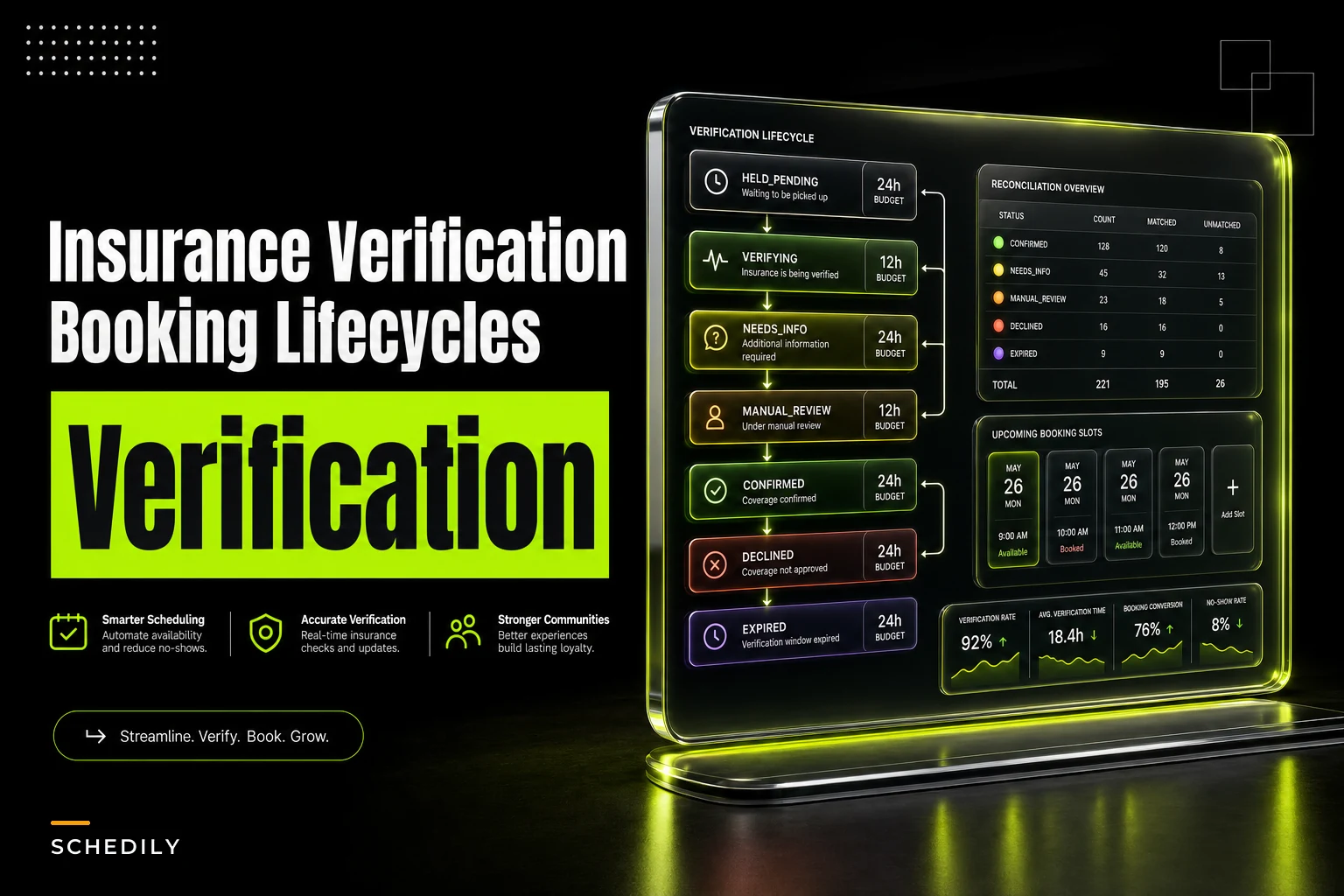

The fastest way to lose a good booking is to make verification block it. Someone finds a slot, wants it, picks a time — and then the system refuses to confirm because their insurance hasn't been checked yet, or the assigned provider's credential status is still "pending." By the time the check clears, the patient has moved on, the slot got grabbed by an overflow request, or your front desk manually held it and forgot to release it.
This is one of those problems that looks small on paper and quietly bleeds capacity in practice. The core mistake is treating verification as a gate at the point of booking instead of a lifecycle that runs alongside the booking. An insurance verification booking workflow that blocks confirmation is going to cost you slots. One that holds the slot, verifies asynchronously, and reconciles the result cleanly keeps your calendar full while still protecting you from booking someone your insurer won't cover.
Here's how to build the second kind.
The blocking-verification trap, and why it's so common
Almost everyone starts with the same pattern, because it feels safe: Customer requests a slot → system calls the eligibility API → waits for a response → confirms only if eligibility passes.
The intent is reasonable. Nobody wants to book a $400 procedure and later find out coverage was denied. But this design assumes verification is fast and reliable. In real operations it's neither. Payer eligibility endpoints time out. Clearinghouses go into nightly maintenance. A credentialing database returns "processing" for a provider whose license is perfectly fine. Some checks take 30 seconds, some take 6 hours, and a few need a human to call a payer line.
When you block the booking on any of those, you've tied your calendar's fill rate to the slowest, flakiest system in the chain. Checkout abandonment on blocking flows runs meaningfully higher than on non-blocking ones — people don't sit through a spinner that says "verifying insurance, please wait." Every abandoned request is a slot that either sits empty or gets manually babysat by someone who has other things to do.
Non-blocking holds: confirm the time, verify the coverage
Think of it this way: a booking has two independent tracks. One track secures the slot. The other track resolves the eligibility of that booking — insurance, credential match, prerequisites. They run in parallel, and the slot stays reserved while verification does its thing.
Eliminate scheduling conflicts and missed meetings.
Schedily helps you organize and manage all appointments and team availability effortlessly.
- Unified appointment and resource management
- Automated notifications & reminders
- Team calendar synchronization
No credit card required
-
Customer picks a slot.
-
System immediately places a hold on the slot — it's now unavailable to anyone else.
-
The booking is created in a
HELDstate with the time locked. -
Verification jobs fire off asynchronously (eligibility check, credential check, prior-auth lookup).
-
The customer gets a "You're booked — we're just confirming your coverage" message.
-
As checks return, the hold transitions toward
CONFIRMEDor into an exception path.
The customer experiences an instant booking. Your operations get the verification safety net. Nobody stares at a spinner.
The key discipline here is that the hold is a first-class object with its own lifecycle and expiry, not just a flag on the appointment. If your hold logic is just appointment.status = 'pending' with no timeout and no owner, you'll end up with the classic mess: hundreds of stale pending bookings clogging the calendar because a verification job silently failed three weeks ago.
A concrete hold lifecycle
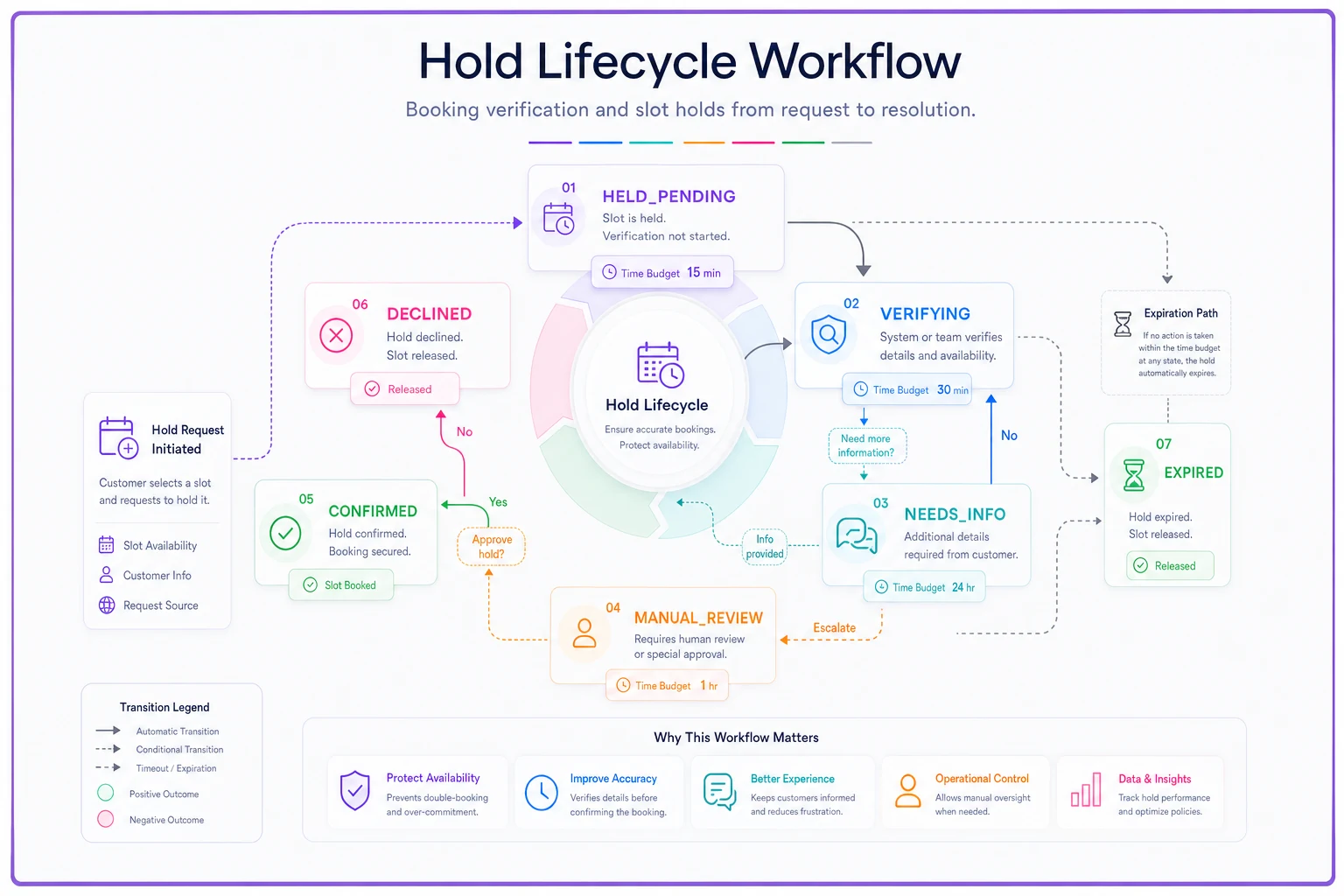
Here's a lifecycle that actually works for something like a specialty clinic or a mobile diagnostics service. Every state has a defined next step and a time budget.
| State | Meaning | Slot locked? | Time budget | Next transitions |
|---|---|---|---|---|
HELD_PENDING | Slot reserved, checks queued | Yes | 0–15 min | → VERIFYING |
VERIFYING | Async checks in flight | Yes | up to 6 hrs | → CONFIRMED, NEEDSINFO, MANUALREVIEW |
NEEDS_INFO | Missing member ID / policy detail | Yes | up to 24 hrs | → VERIFYING, EXPIRED |
MANUAL_REVIEW | Payer line / human check needed | Yes | up to 48 hrs | → CONFIRMED, DECLINED |
CONFIRMED | Coverage + credential confirmed | Yes (booked) | — | → COMPLETED, CANCELLED |
DECLINED | Coverage failed, needs reschedule/pay | No (released) | — | → CANCELLED, rebook self-pay |
EXPIRED | Hold aged out, slot released | No | — | terminal |
Two things matter about this table beyond the states themselves.
First, the slot stays locked all the way through MANUAL_REVIEW. That's a deliberate choice. If you release the slot the moment a check goes to manual review, you defeat the whole purpose — the customer thought they were booked, and now they're not because a payer's phone line was busy. The slot holds until you have an actual answer or the time budget runs out.
Here's a diagram of the hold lifecycle.
Second, EXPIRED and DECLINED are different terminal states for a reason. Expired means "we never got an answer in time." Declined means "we got an answer and it was no." Those need different customer messages and different reconciliation handling. Collapsing them into one "failed" bucket makes your reconciliation reports basically useless.
Staged async checks: don't run everything at once
Verification isn't one check — it's a sequence, and the order matters for both cost and customer experience.
-
Stage 1 — Structural validation (instant) Is there a member ID? Is the policy number well-formed? Is the assigned provider eligible to perform this service type? These are local, free, and catch a big chunk of garbage before you call anyone.
-
Stage 2 — Credential match (seconds) Does the assigned provider hold an active, non-expired credential for this service and, where relevant, for this payer's network? Local database read.
-
Stage 3 — Eligibility check (seconds to minutes) Real-time eligibility call to the clearinghouse or payer.
-
Stage 4 — Prior authorization / manual (minutes to hours) Only for service types that require it. This is the slow, sometimes-human stage.
If Stage 1 fails, you never hit Stages 2–4. The booking drops into NEEDS_INFO and you ask the customer for the missing detail.
This staging is what keeps your per-booking verification cost reasonable at volume — clearinghouse calls aren't free, and running them on bookings that fail structural validation is just wasted money.
Retry windows: the part everyone gets wrong
Async checks fail transiently all the time. The payer endpoint returns a 503. The clearinghouse times out. If you treat every transient failure as a hard DECLINED, you'll release good slots and frustrate covered customers. If you retry forever with no backoff, you'll hammer a struggling endpoint and hold slots hostage indefinitely.
-
Transient failure (timeout, 5xx) retry with exponential backoff — try again at roughly 1 min, 5 min, 20 min, then stop.
-
Cap retries per stage at 3–4 attempts. Beyond that, escalate to
MANUAL_REVIEW. Don't keep looping. -
Distinguish "no answer" from "negative answer." A 503 is a retry. An explicit "member not found" or "coverage terminated" is a real result — do not retry it, move the hold forward to
NEEDS_INFOorDECLINED. -
Respect the hold's overall time budget. Even if retries are still available, once the hold hits its expiry the whole thing goes to
EXPIRED. The time budget is the master clock, not the retry counter.
The most common failure mode: someone builds retries against the retry counter alone with no overall deadline. A payer endpoint has a rough night, the job keeps backing off and retrying for 14 hours, and the slot sits held the whole time while the customer has a "you're booked!" text they think is real. Always let the hold's expiry win.
Reconciliation tables: proving the hold and the reality agree
Here's the failure that quietly corrupts calendars: the verification system and the booking system drift out of sync. A check returns CONFIRMED but the webhook that was supposed to flip the appointment status got dropped. Now you've got a booking sitting in VERIFYING forever while the verification service thinks it's done. Or the reverse — the appointment shows CONFIRMED, but the eligibility result was a decline that never got applied.
A reconciliation table is a periodic sweep that compares the two sides and flags disagreements. It's closely related to the reconciliation discipline covered in common compliance mistakes in appointment systems — the same "trust but verify your own state" principle applies here.
| Field | Purpose |
|---|---|
booking_id | The appointment being checked |
hold_state | What the booking system thinks the state is |
verification_result | What the verification service last returned |
lastcheckat | When verification last resolved |
state_age | How long the booking has been in its current state |
discrepancy_flag | True if holdstate and verificationresult disagree |
resolution_action | Auto-fix, escalate, or expire |
The sweep runs on a schedule — every 5–10 minutes is reasonable for an active calendar. It catches three things:
-
Stuck holds anything in
VERIFYINGpast its time budget with no result. Force it toMANUAL_REVIEWorEXPIRED. -
State mismatches verification says confirmed, booking says pending. Reapply the result.
-
Orphaned locks slot is held but the booking record is gone. Release the slot.
Without this sweep, dropped events don't announce themselves. They accumulate as ghost holds until someone notices the calendar looks half-full but nothing's actually bookable.
Front-desk and customer UX scripts
The operational part people underinvest in is what humans actually say while the hold is resolving. If the front desk and the customer messages aren't aligned with the hold states, you get confusion — a customer who got a "confirmed" text arguing with a front desk that sees "verifying."
Tie every message to a state.
Front-desk phone script (booking placed, HELD_PENDING / VERIFYING):
> "You're all set for Thursday at 2. We're just running your insurance in the background — you don't need to wait on the line. If anything comes up with coverage, we'll text you before your visit. If you don't hear from us, you're good."
Async customer notification — hold placed:
> "Booked ✅ Thursday 2:00 PM. We're confirming your coverage now — no action needed. We'll only reach out if we need a detail from you."
Async notification — NEEDS_INFO:
> "Quick thing to finish confirming Thursday's visit: we need your insurance member ID. Reply here or call us — your slot is held until [time]."
Async notification — DECLINED:
> "We couldn't confirm insurance coverage for Thursday's visit. Your time is still available if you'd like to proceed as self-pay ($X), or we can help you reschedule. Reply to keep the slot."
One rule that keeps this clean: never send a "confirmed" message before the state is actually CONFIRMED. The temptation is to say "you're confirmed!" the instant the hold is placed because it feels friendlier. Don't. Say "booked, confirming coverage." Reserve the word "confirmed" for when it's actually true. That one-word discipline prevents most of the "but your text said I was confirmed" disputes.
A real scenario
A mid-sized physical therapy group running three locations was doing blocking verification at booking. Front desk booked over the phone; online requests hit a real-time eligibility gate. Roughly 15–20% of online booking requests were dropping at the verification spinner, and staff were manually holding slots for phone bookings on sticky notes and a shared spreadsheet.
The measurable damage: a chunk of held slots either aged out unreleased, blocking real bookings, or got double-promised because the spreadsheet lagged reality. They were losing something in the range of a dozen bookable slots a week per location to hold chaos — not catastrophic per slot, but real lost capacity across three sites.
They moved to non-blocking holds with a defined lifecycle, staged checks (structural → credential → eligibility → prior-auth), a 6-hour verification budget, and a reconciliation sweep every 10 minutes. Online abandonment at the verification step basically disappeared — there was no spinner to abandon. Stale holds dropped to near zero because the sweep expired anything that stalled. Staff stopped babysitting slots manually. Coverage still got verified before every visit. They just stopped letting verification block the calendar.
When this makes sense — and when it doesn't
This pattern is worth the effort when a real portion of your bookings need insurance or credential verification before service, when verification latency is variable — some checks instant, some taking hours — and when you're losing slots to abandonment or manual hold management.
It's overkill if everything is self-pay and there's genuinely nothing to verify. A hold lifecycle for bookings with no async checks is complexity for its own sake. Same goes if your verification is genuinely instant and reliable nearly all the time — rare, but it happens with a single tightly-integrated payer — in which case blocking might be simpler and fine.
Worth flagging: if you can't reliably run the reconciliation sweep — no scheduler, no background job infrastructure — do not build non-blocking holds. A hold system without reconciliation is worse than blocking verification, because now you've got locked slots with no mechanism to release the stuck ones. The sweep isn't optional. It's what makes the whole pattern safe.
The core idea
Verification and slot-holding are two separate jobs, and the trouble starts the moment you fuse them. Lock the time instantly, verify in the background through staged checks with real retry limits, reconcile the two sides on a schedule, and make sure every message a human sends matches the actual state of the hold.
Do that, and you keep your calendar full without ever booking someone your payer won't cover — which is the whole point of verifying in the first place.
Do that, and you keep your calendar full without ever booking someone your payer won't cover — which is the whole point of verifying in the first place.
Ready to optimize your scheduling and operations?
Join thousands of businesses using Schedily to save time, improve coordination, and enhance operational efficiency.