

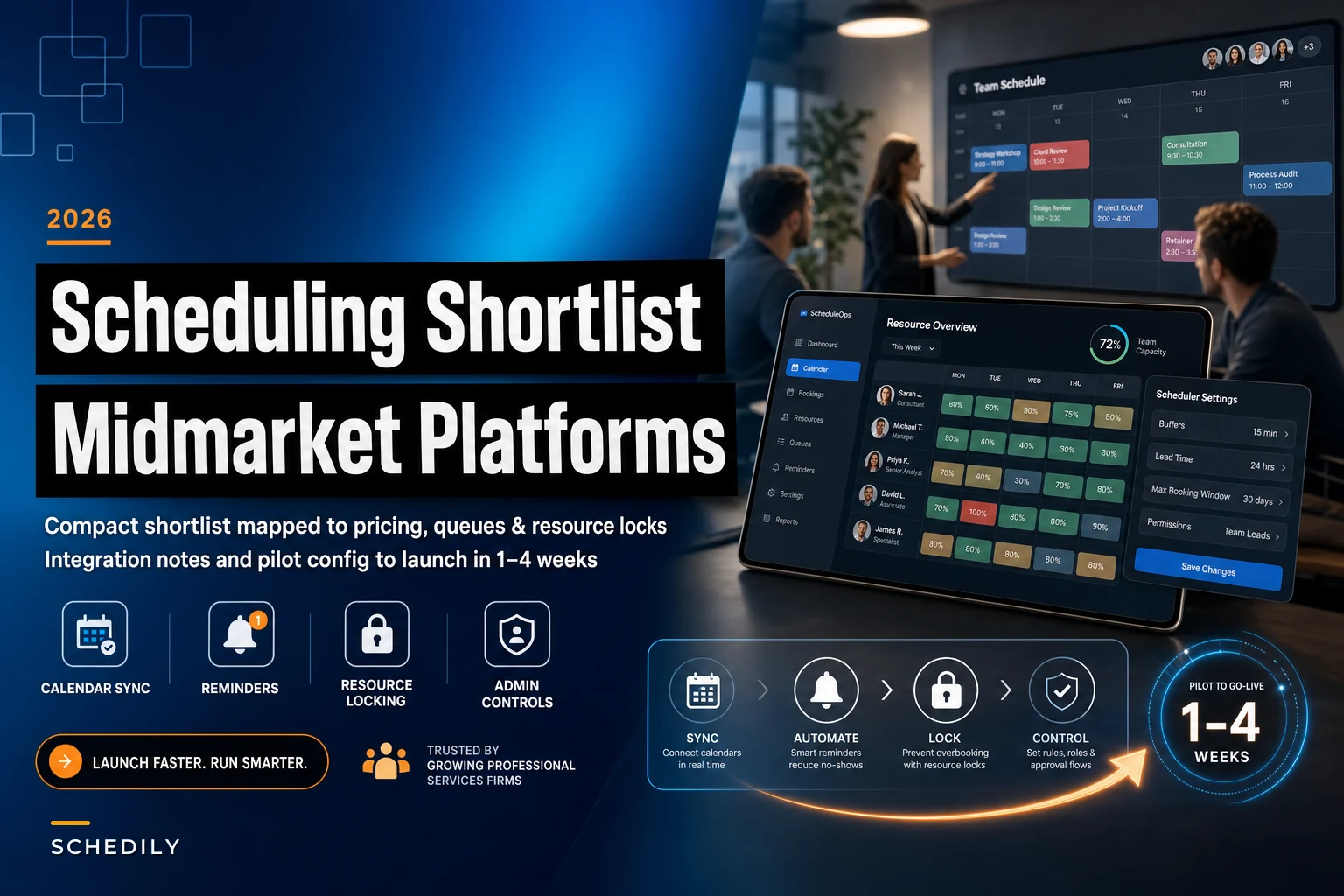

Most scheduling vendor comparisons online are useless for a mid-market firm. They rank tools by "ease of use" and pricing tiers built for solo consultants, then bury the two things that actually break at 40–200 employees: resource locking and admin governance. When a 12-person accounting practice grows into three offices with shared conference rooms, contract paralegals, and a booking flow that touches payment and identity systems, "easy to use" stops being the deciding factor.
This is a tight shortlist. Five tools, no filler. Each one earned its spot because it handles at least one part of what we'll call the three-layer hedge — the scheduling/queue layer (who books what and when), the pricing/deposit layer (money attached to the booking), and the admin/governance layer (permissions, identity, audit). No single tool nails all three cleanly, which is exactly why the fit notes matter more than the feature checklists.
How to read this shortlist
Firms usually pick a scheduler based on the layer that's currently on fire. A practice drowning in no-shows fixates on reminders. A firm that just failed a security review fixates on SSO. That's understandable — but the tool you pick to solve today's problem shouldn't create tomorrow's.
The classic pattern: a firm grabs a lightweight consumer-grade scheduler to kill no-shows, then two years later can't get proper role-based permissions or an audit trail when the compliance team comes asking.
Calendly — the coordination layer, done cleanly
Calendly — the coordination layer, done cleanly
Eliminate scheduling conflicts and missed meetings.
Schedily helps you organize and manage all appointments and team availability effortlessly.
- Unified appointment and resource management
- Automated notifications & reminders
- Team calendar synchronization
No credit card required
Calendly's strength is team calendar sync and availability logic: round-robin distribution, pooled availability, meeting caps, and configurable reminders that don't require a developer to touch anything. For a professional-services firm where the real problem is coordinating people — matching a client to whichever of six advisors is free, without double-booking anyone — this is the smoothest option on the list.
Where it fits the hedge: the scheduling/queue layer. It handles staff coordination and simple throttling (limiting how many bookings hit a person per day) well.
Where it's thin: resource locking beyond people. If you need to guarantee a specific room and a specific piece of equipment and a qualified staff member all lock together on one booking, Calendly wasn't built for that. Resources are treated as an afterthought. Admin governance is decent at higher tiers but won't satisfy a firm with strict identity requirements.
A realistic use case: a 30-person consulting firm that mostly sells advisory hours and wants inbound leads routed evenly across senior partners. Calendly gets you 90% of the way there in about a day of setup.
Squarespace Scheduling (Acuity) — when money is attached to the booking
Squarespace Scheduling (Acuity) — when money is attached to the booking
Acuity does something most schedulers treat as a bolt-on: deposits, full payments, and intake forms are first-class parts of the booking flow. Multiple resource types, automated reminders, and package/membership logic are baked in rather than hacked together.
Where it fits the hedge: it covers two layers — scheduling and the pricing/deposit layer. For services where you must collect a deposit before holding the slot (specialist consults, appraisal services, anything with a real cancellation cost), this is the pragmatic pick.
The deposit question isn't just a UX preference. Firms operating in categories exposed to cost volatility often need deposits to protect margin on committed time — a point we dug into in our breakdown of how 2026 forced-labor tariffs should reshape pricing, deposits, and scheduling. If your deposit policy is doing real financial work, you want it enforced inside the scheduler, not tracked in a spreadsheet afterward.
Where it's thin: admin governance at scale. Acuity's permission model is fine for a single practice but starts to feel loose when you're managing dozens of staff across locations with different access needs.
Microsoft Bookings — when identity and governance drive the decision
Microsoft Bookings — when identity and governance drive the decision
If your firm already lives in Microsoft 365, Bookings is the tool that stops fighting your infrastructure. Deep Exchange/Outlook calendar integration means the sync problems that plague third-party tools mostly disappear. SSO, enterprise admin controls, and room/staff assignments all tie into your existing directory.
Where it fits the hedge: scheduling plus the admin/governance layer. This is the one tool on the list that treats identity and security as core rather than a premium add-on. For firms where a compliance team has veto power over vendor choices, Bookings often wins by default.
Where it's thin: the booking experience is more rigid than Calendly or Acuity, and payment/deposit handling is weak. Bookings assumes the money problem is solved somewhere else in your stack.
Worth noting: firms that pick a slicker consumer scheduler and then try to retrofit enterprise identity controls almost always end up frustrated. If SSO and audit are non-negotiable, start here and accept a less polished front end.
Resource Guru — resource-first, not people-first
Resource Guru — resource-first, not people-first
Every other tool on this list starts with a person's calendar and treats rooms and equipment as attributes. Resource Guru flips that. It's built around resources — staff, equipment, meeting spaces — with capacity views, utilization reporting, and both soft and hard booking rules. A soft booking flags a conflict; a hard booking prevents it.
Where it fits the hedge: resource-locking and capacity monitoring, plus scheduling control. This matters most when your constraint isn't staff availability but shared physical assets. A survey firm with a limited pool of specialized field equipment, or a clinic-style operation where three treatment rooms are the real bottleneck — that's where Resource Guru earns its place.
The utilization reporting alone often surfaces a quiet problem: firms discover a specific resource is booked 90%+ while others sit at 40%, which changes how they price and route work.
Where it's thin: client-facing booking and payment. Resource Guru is an internal scheduling brain, not a customer-facing portal. Many firms pair it with something else for the front end.
Skedda — physical space and equipment, with real booking rules
Skedda — physical space and equipment, with real booking rules
Skedda is the most specialized entry here. It's designed for booking physical spaces and equipment, with strong booking rules, buffer enforcement, and granular custom permissioning. If you run shared offices, studios, labs, or any environment where the space is the product, Skedda handles the rules other tools simply ignore.
Where it fits the hedge: physical resource locking and substitution rules for scarce inputs — automatically offering an equivalent room when the requested one is taken, within rules you define.
Where it's thin: it's not trying to be a full professional-services scheduler with staff round-robin and client intake. It's a space-and-equipment specialist. Use it when that's your core problem, not as a general team scheduler.
Coverage at a glance
The table below is the fastest way to see the trade-offs. Read across each tool's row and you'll notice no single column is green across the board — that gap is the whole point of this comparison, not a flaw in the shortlist.
| Tool | Scheduling/Queue | Pricing/Deposits | Admin/Governance | Resource Locking | Best fit |
|---|---|---|---|---|---|
| Calendly | Strong | Weak | Moderate | Weak (people only) | Team coordination, lead routing |
| Acuity (Squarespace) | Strong | Strong | Moderate | Moderate | Services with real deposits |
| Microsoft Bookings | Strong | Weak | Strong | Moderate | M365 firms with SSO/audit needs |
| Resource Guru | Strong | Weak | Moderate | Strong | Equipment/room-constrained ops |
| Skedda | Moderate | Weak | Strong (permissions) | Strong (physical) | Space & equipment booking |
No single tool is strong across all four columns. Firms with real complexity often run two — a resource brain (Resource Guru or Skedda) plus a client-facing scheduler (Acuity or Bookings). That's not a failure of the market; it's a reflection of how different these problems actually are.
Integration notes worth checking before you commit
A tool that looks perfect in a demo can fall apart on integration. Three things to verify during any pilot:
-
API and webhook readiness. If you need bookings to trigger anything downstream — provisioning, invoicing, an ERP or field-service update — check whether the tool sends real webhooks or expects you to poll. Poll-based sync introduces lag that shows up as double bookings later.
-
iCal caveats. Several of these tools offer iCal feed sync as the "easy" integration. iCal feeds are typically one-way and refresh on a delay — sometimes 15 minutes or more. That's fine for display purposes, dangerous for conflict prevention. Never rely on an iCal feed as your source of truth for whether a resource is actually free.
-
Directory and SSO depth. "Supports SSO" and "provisions users automatically from your directory" are different claims. Confirm which one you're actually getting, especially if you're onboarding and offboarding contract staff regularly.
Confirm which one you're actually getting, especially if you're onboarding and offboarding contract staff regularly.
Recommended quick-start config for each tool
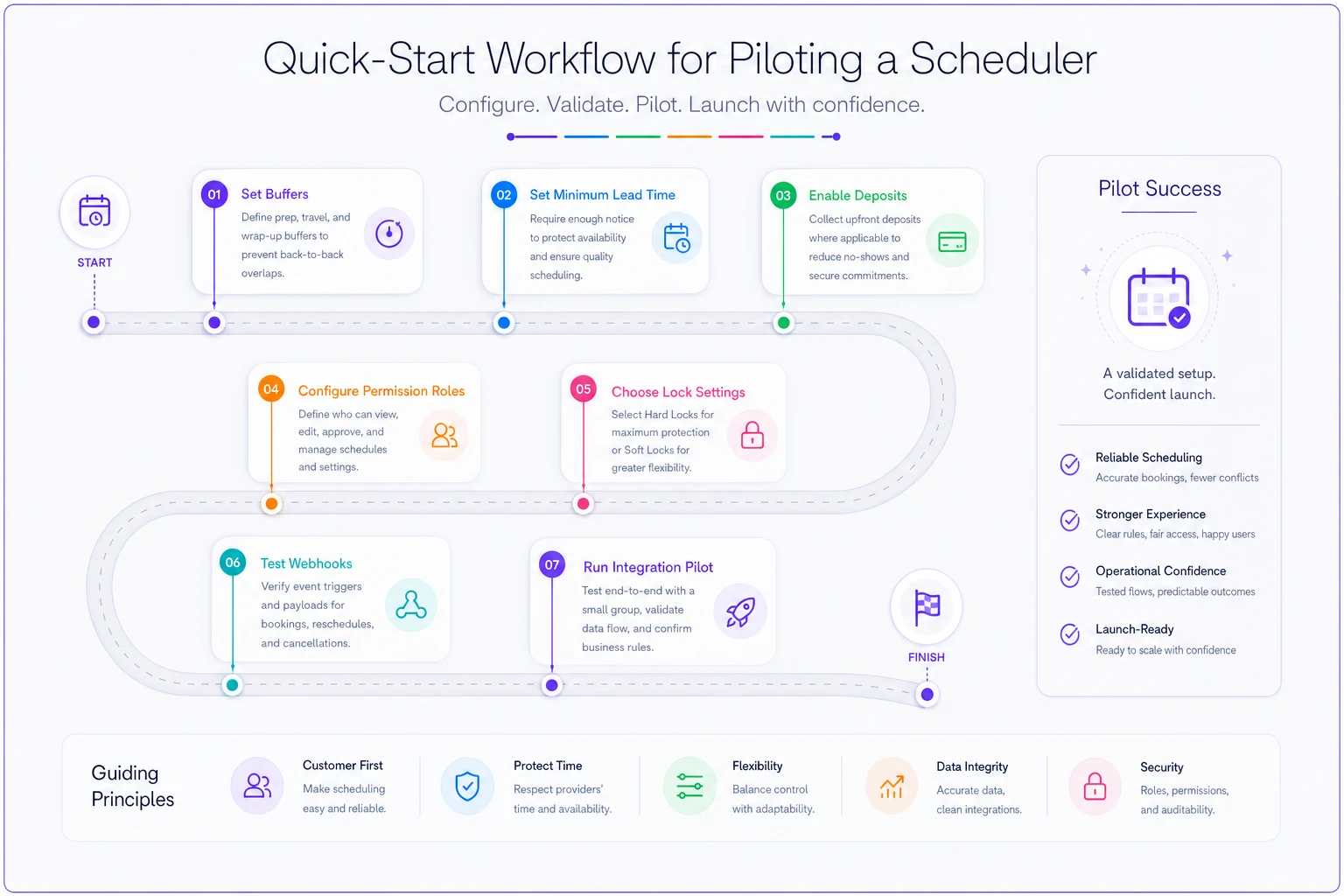
Whatever you pilot, don't accept defaults. Default settings are tuned for solo users, and that's where most operational pain originates. Enforce these from day one:
-
Buffers. Set minimum gaps between bookings — 10–15 minutes for back-to-back consults, longer where rooms need turnover or equipment needs reset. Defaults are usually zero.
-
Minimum lead time. Block same-hour bookings that staff can't realistically prepare for. A 2–24 hour minimum depending on service type kills a whole class of last-minute chaos.
-
Deposits (where applicable). In Acuity, tie deposit collection to the specific services where a no-show actually costs you. Don't apply it blanket — it suppresses legitimate low-risk bookings.
-
Permission roles. Decide who can override booking rules before anyone needs to. The most common governance failure is that everyone can override everything, so nobody can trust the calendar.
-
Hard vs. soft locks. In Resource Guru or Skedda, decide deliberately which resources get hard locks versus soft flags. Scarce, expensive, or single-instance resources should almost always be hard-locked.
Enforce minimum lead time by service type to avoid last-minute double assignments.
The diagram below shows a quick-start workflow for piloting a scheduler.
Defaults are usually zero.
A short decision walkthrough
Start with your hardest constraint. If the bottleneck is people and even distribution of client demand, Calendly. If money must be attached to the booking to protect your time, Acuity. If a security or compliance requirement is driving the whole project and you're on Microsoft 365, Bookings. If your real scarcity is equipment or staff capacity you keep over- or under-utilizing, Resource Guru. If you're booking physical spaces as the product, Skedda.
Then ask one question that overrides everything above: do you need to link bookings to an ERP or field-service system for inventory or dispatch? If yes, integration readiness — webhooks, not iCal — matters more than front-end polish, and that usually narrows the field quickly.
A short real scenario
A regional appraisal firm — around 45 staff across four offices — ran on a mix of shared Outlook calendars and a lightweight consumer scheduler. Their pain wasn't no-shows; it was double-booking their two specialized inspection kits. Once or twice a week, two appraisers would show up expecting the same equipment, and one appointment got scrapped.
Each blown appointment cost somewhere in the $300–$500 range in rescheduled travel and lost billable time — call it $15k–$25k a year quietly leaking out. The consumer scheduler had no concept of locking a piece of equipment; it only knew people's calendars. They piloted Resource Guru for the equipment layer, kept their client-facing booking where it was, and hard-locked the two kits. The conflicts effectively stopped within the first month. The unexpected bonus: utilization reporting showed one kit sat idle far more than the other, so they adjusted routing and got more billable inspections out of the same gear.
The lesson isn't "buy Resource Guru." It's that they were solving a resource-locking problem with a people-scheduling tool, and no amount of reminder tuning would have fixed it.
Who should not overthink this
If you're under about 10 people with a single office, no shared scarce equipment, and no SSO mandate, you almost certainly don't need a pilot bake-off. Pick Calendly or Acuity based on whether money is attached to bookings, and move on. The multi-tool setups and governance depth described here are solving problems you don't have yet, and buying for them early just adds config overhead.
The firms that genuinely benefit from working through this shortlist are the ones feeling specific strain — resource conflicts, permission chaos, a compliance team asking questions, or a growing gap between how bookings happen and what downstream systems expect. That strain is the signal it's worth spending an afternoon evaluating rather than defaulting to whatever the sales team demoed best.
Pick the layer that's actually hurting, pilot the one tool that owns that layer, and be honest about what it leaves uncovered.
Ready to optimize your scheduling and operations?
Join thousands of businesses using Schedily to save time, improve coordination, and enhance operational efficiency.