

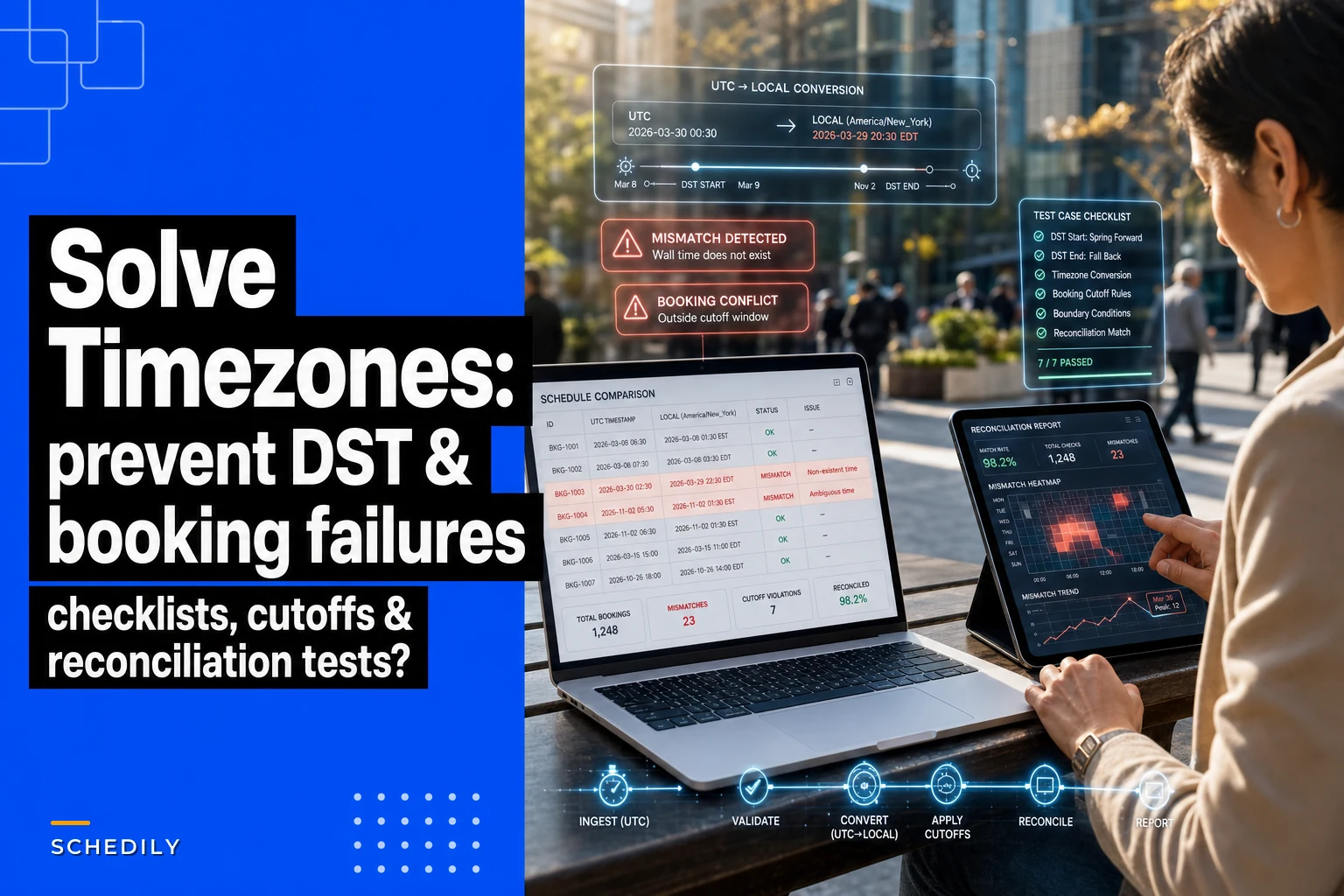

Time zones aren't sexy. Neither is DST. But you know what's less sexy? A dental practice in Phoenix booking an 8am appointment that shows up as 9am because someone forgot Arizona doesn't observe daylight saving. Or a tutoring platform sending reminder texts at 2am because the server thinks everyone lives in UTC.
Building scheduling systems for everything from mobile mechanics to telehealth platforms, time zone bugs create some genuinely impressive operational disasters. The worst part? These aren't edge cases. They're predictable failures that happen when businesses scale beyond one time zone without properly architecting their scheduling logic.
The storage convention that prevents 90% of time zone bugs
Non-negotiable foundation: store everything in UTC. Not "mostly UTC with some exceptions." Not "UTC for appointments but local for reminders." Everything. UTC. Always.
Your database should never see a local timestamp. When someone books a 3pm appointment in Chicago, your system stores 2024-03-15T20:00:00Z (or 21:00:00Z during DST). The appointment exists as an absolute point in time, independent of any time zone interpretation.
-
Database timestamps
UTC only, stored as
TIMESTAMP WITH TIME ZONEor equivalent -
API payloads
ISO 8601 with explicit UTC (
2024-03-15T20:00:00Z) -
Log files
UTC timestamps for everything
-
Audit trails
UTC for all state changes
-
Cache keys
Include UTC timestamp, never local
The moment you allow mixed storage conventions, you create reconciliation nightmares. A wellness center learned this when their booking system stored appointment times in local but their payment processor logged transactions in UTC. During DST transitions, they couldn't match payments to appointments for an entire hour of bookings.
Display rules that actually match user expectations
Storage is engineering. Display is psychology. Users don't care about UTC — they care about "what time do I show up?"
Eliminate scheduling conflicts and missed meetings.
Schedily helps you organize and manage all appointments and team availability effortlessly.
- Unified appointment and resource management
- Automated notifications & reminders
- Team calendar synchronization
No credit card required
The golden rule: display times in the context where the action happens. For in-person services, that's the location's time zone. For virtual services, it's usually the user's time zone. But businesses consistently get this wrong because they make assumptions instead of being explicit.
| Service Type | Display Time Zone | Example |
|---|---|---|
| In-person at business location | Business location zone | Dental office in Denver shows Mountain Time |
| In-person at customer location | Service address zone | Home cleaning in customer's time zone |
| Virtual/remote service | User's current zone | Online tutoring shows student's local time |
| Hybrid (virtual + physical) | Explicit zone labels | "3pm EST (office) / 12pm PST (your time)" |
The implementation requires capturing and maintaining accurate zone data:
-
Identify service delivery context (physical location vs virtual)
-
Determine authoritative time zone for that context
-
Convert UTC stored time to display zone
-
Include zone identifier in display (never just "3
00 PM")
-
For critical appointments, show both zones if different
A psychological testing service that runs both virtual and in-office sessions solved this cleanly. Their confirmation emails show: "Your appointment: Tuesday, March 19 at 2:00 PM CDT (Chicago office)" with a secondary line: "This is 12:00 PM PDT if you're joining from California." Clear, explicit, no guessing.
Booking cutoff windows that respect time zone boundaries
This is where scheduling systems reveal their true complexity. Your "book 24 hours in advance" rule gets surprisingly complicated when customers and services exist in different zones.
A meal prep kitchen in Austin that delivers to Houston requires orders by 6pm the day before delivery. But 6pm where? Austin time, where they cook? Houston time, where they deliver? The customer's current location, which could be anywhere?
-
Define the authoritative zone for the cutoff (usually where the work happens)
-
Store cutoff rules in that zone's context
-
Calculate the cutoff moment in UTC for system enforcement
-
Display the deadline to users in their local time with a clear zone label
A translation service with offices in London and Manila requires 48-hour notice for document work. Instead of forcing everyone to think in UK time, their system stores the rule as "48 hours before delivery time," calculates the absolute UTC cutoff based on the requested delivery, then shows customers: "Order by Thursday 5:00 PM your time (Friday 1:00 AM London)."
``
{
  "ruletype": "dailycutoff",
  "localtime": "12:00",
  "timezone": "locationspecific",
  "enforcement": "strict",
  "graceperiodminutes": 0
}
``
Each location's noon is noon in that location's time zone. The system converts to UTC for enforcement but preserves the business intent.
DST transition logic that handles the messy hour
Daylight saving transitions are where good scheduling systems go to die. Spring forward is annoying but manageable — you lose an hour. Fall back is actively evil — you get the same hour twice.
On November 3, 2024, at 2am Eastern time, clocks fall back to 1am. There are literally two different 1:30am moments that day. If someone books an appointment for 1:30am — maybe a 24-hour emergency service — which 1:30am do they mean?
-
Detect when a booking falls within a DST transition window
-
Present both options explicitly
"1:30 AM EDT (first occurrence)" or "1:30 AM EST (second occurrence)"
-
Store with full zone information, not just offset
-
Include a DST flag in the confirmation
"Note: This is during daylight saving transition"
For recurring appointments, the problem multiplies. A therapy practice with weekly 10am sessions discovered that their "every Tuesday at 10am" appointments shifted by an hour twice a year from the patient's perspective, because the system was maintaining the UTC time rather than the local wall-clock time.
``
{
  "recurrence": "weekly",
  "localtime": "10:00",
  "timezone": "America/Chicago",
  "maintain": "wallclock_time"  // not UTC interval
}
``
During DST transitions, the system recalculates the UTC time to maintain the same wall-clock appearance. The patient always sees 10am, even though the underlying UTC timestamp shifts.
Reminder timing that doesn't wake people at 3am
Reminders expose every time zone mistake in your system. Send them in the wrong zone and you're waking people up, or pinging them at dinner about tomorrow's appointment.
A home services marketplace learned this after expanding from California to the East Coast. Their "24 hours before appointment" reminders were calculated in Pacific time. East Coast customers were getting appointment reminders at 9pm. Not catastrophic, but not professional either.
| Reminder Type | Time Calculation | Send Window | Zone Context |
|---|---|---|---|
| Fixed interval (24hr before) | UTC appointment minus interval | N/A | N/A |
| Daily digest (9am local) | 9am in recipient zone | Skip if missed | Recipient |
| Smart window (morning of) | 8am-10am recipient zone | Hold if outside | Recipient |
| Urgent (2hr before) | UTC appointment minus 2hr | Send immediately | N/A |
A medical testing lab that serves multiple time zones built delivery window logic that works like this: calculate the ideal reminder time (appointment minus 24 hours), check if that falls within acceptable hours (8am-8pm in the recipient's local time), adjust to the nearest boundary if outside that window, and flag critical reminders as urgent if they have to be sent anyway.
Their actual implementation:
-
Calculate raw reminder time from appointment
-
Convert to recipient's local time
-
If between 8pm-8am
-
Apply DST detection (avoid transition hours)
-
Queue for delivery in UTC
-
Non-urgent
delay to 8am
-
Urgent
send with "URGENT:" prefix
During DST transitions, they add another check: never send reminders between 1am-3am on transition days. Small detail, but it prevents a lot of confused phone calls.
The UX guardrails that prevent expensive mistakes
Time zone bugs are worse than regular bugs because they're often invisible until someone loses money or misses something important. The fix isn't just backend logic — it's aggressive user-facing validation.
A multi-location fitness studio chain ran into this after opening locations across time zones. Members would book classes online, assume the displayed time was their local time, then show up an hour early or late. The classes were stored and displayed correctly, but users made assumptions.
Essential UX guardrails:
1. Explicit zone display everywhere Never show just "3:00 PM". Always "3:00 PM EST" or "3:00 PM (New York time)". A dog grooming chain goes further: "3:00 PM EST (this is 2:00 PM if you're in Chicago)".
2. Confirmation forcing
-
"This appointment is at 10
00 AM Pacific Time (Los Angeles)"
-
"If you're in New York, this will be 1
00 PM your time"
-
[Checkbox] "I understand this time zone"
3. Smart detection with override Detect the user's time zone but always allow manual selection. A telemedicine platform shows: "We've detected you're in Central Time. Is this correct?" with a dropdown to change it. Roughly 15% of users are traveling or booking for someone else.
4. Visual differentiation for non-local times When showing times outside the user's zone, make them visually distinct. Bold the local time, gray out non-local times, use an icon for different zones.
5. Pre-submit warnings
``
⚠️ Time Zone Notice
You're booking for 8:00 AM MST (Denver time)
This is 10:00 AM in your current time zone (EST)
``
The fitness studio now shows a small time zone map during booking — clock icons showing what time it will be in different zones when the class starts. It's a bit overkill, but they haven't had a time zone complaint since.
Testing scenarios that catch the edge cases before production
Most time zone bugs hide until specific dates. Your system might work perfectly 350 days a year, then break during DST transitions or when someone books across year boundaries.
Critical test scenarios:
DST transition bookings are the obvious starting point. Book an appointment for the day DST starts, the day it ends, during the duplicated hour on fall-back day, and during the skipped hour on spring-forward day. These four scenarios alone will surface the majority of your edge case failures.
Cross-zone booking patterns catch a different class of bugs entirely. Test a user in Eastern time booking a service in Pacific time. Test a user in a non-DST zone like Arizona booking with someone in California. Test international users booking US services. And don't forget to test what happens when a user travels between the time of booking and the appointment itself — this one catches people off guard.
Year boundary edge cases are easy to overlook until December. Book on December 31 for January 1. Test recurring appointments that cross a year boundary. Check reminder scheduling across that boundary. Verify cutoff calculations don't break when they span years.
Zone definition changes are a real issue that most teams ignore. Morocco has changed their DST rules multiple times. If your system handles historical appointments, you need the zone rules that were in effect at the time of booking, not whatever the current rules are.
Reminder delivery windows deserve their own pass. Test reminders that fall during a DST transition, reminders for appointments in a different zone than the user, recurring reminder patterns that cross DST, and verify your window adjustment logic actually fires correctly.
A scheduling platform for home inspections runs these tests quarterly. They maintain a "chaos calendar" — a test calendar filled with appointments at every problematic time they've ever encountered. Every code change runs against it. Their test data includes appointments at 1:30am on both DST transition days, bookings from Hawaii to New York, recurring appointments every Sunday at 2am, appointments booked 365 days in advance, and services in Indiana counties split across different time zones.
The reconciliation process that proves your system works
Testing prevents bugs. Reconciliation proves your system is actually working in production. Real users do things your tests never imagined.
A multi-location dental practice network built their reconciliation process after finding discrepancies between their scheduling system and what patients actually experienced.
Daily reconciliation checks:
``sql
-- Find appointments where displayed time doesn't match stored UTC
SELECT * FROM appointments a
JOIN locations l ON a.locationid = l.id
WHERE
DATE(CONVERTTZ(a.utctime, 'UTC', l.timezone)) != a.displayeddate
OR TIME(CONVERTTZ(a.utctime, 'UTC', l.timezone)) != a.displayed_time
``
-
Appointment integrity
-
Reminder accuracy
-
Cutoff enforcement
-
DST transition audit
-
Cross-zone booking patterns
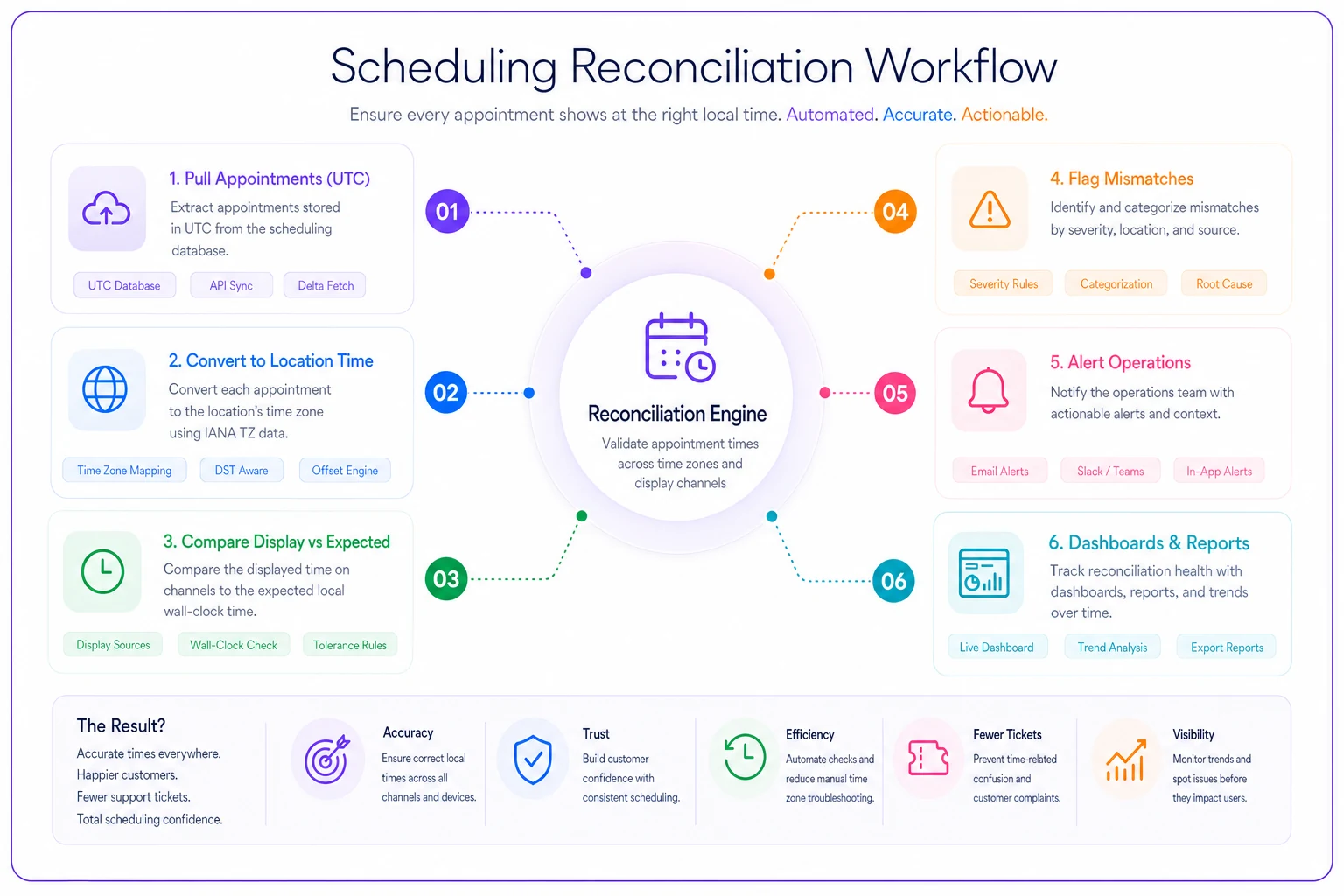
The dental network runs these checks every morning at 6am UTC. Results go to a dashboard that ops monitors daily. They've caught reminder systems using the wrong time zone after a server migration, appointment slots showing as available when they were actually in the past due to zone conversion errors, and recurring appointments drifting by an hour after DST.
Run reconciliation at a predictable, low-traffic time and alert only on actionable mismatches to keep ops focused.
Reconciliation isn't glamorous work, but it's the only way to know your system is behaving correctly when real people are using it in ways nobody planned for.
Here's a quick visual of the reconciliation workflow.
The businesses that operate successfully across time zones aren't the ones that pretend it's simple. They're the ones that respect the complexity and build systems that handle it properly. That's the difference between software that works in demos and software that works when someone is booking at 11pm on the Saturday night before DST ends.
Building automation around time zone complexity
The businesses that handle this well aren't necessarily the ones with the best developers. They're the ones who've centralized these rules into their operational systems rather than scattered them across individual applications.
A property management company handling maintenance requests across 12 states built their time zone logic into their operational platform once. Now every process — scheduling, reminders, reports — uses the same validated logic. Contractors see appointments in property time zone, residents see them in their local time, back office sees everything in headquarters time zone. Underneath, it's all UTC with consistent conversion rules.
AI-assisted operational software makes this more manageable by automatically detecting and flagging potential issues before they become problems. When someone tries to book at 2:30am, the system asks if they mean 2:30pm. When a reminder would land at dinner, it adjusts to the next morning. When DST is approaching, affected appointments get flagged proactively. It's not magic — it's consistent rules enforced at the platform level instead of hoping individual developers remember every edge case.
The test checklist that actually matters:
-
Every timestamp in your database is UTC
-
Every display shows an explicit time zone
-
Booking cutoffs work correctly across zones
-
DST transitions are handled explicitly
-
Reminders arrive at reasonable hours
-
Users can't accidentally book wrong due to zone confusion
-
Reconciliation runs daily to catch drift
-
Your team knows how to investigate time zone issues
Most scheduling problems aren't really scheduling problems — they're time zone problems in disguise. Fix the time zone logic and half your "weird scheduling bugs" disappear.
Time zones are never really solved, just properly managed. Build the right guardrails, test the edge cases, monitor constantly. Because somewhere right now, there's a customer in Arizona trying to book an appointment with someone in Indiana, and if your system doesn't handle that correctly, they're about to become someone else's customer.
The businesses that operate successfully across time zones aren't the ones that pretend it's simple. They're the ones that respect the complexity and build systems that handle it properly. That's the difference between software that works in demos and software that works when someone is booking at 11pm on the Saturday night before DST ends.
Ready to optimize your scheduling and operations?
Join thousands of businesses using Schedily to save time, improve coordination, and enhance operational efficiency.