
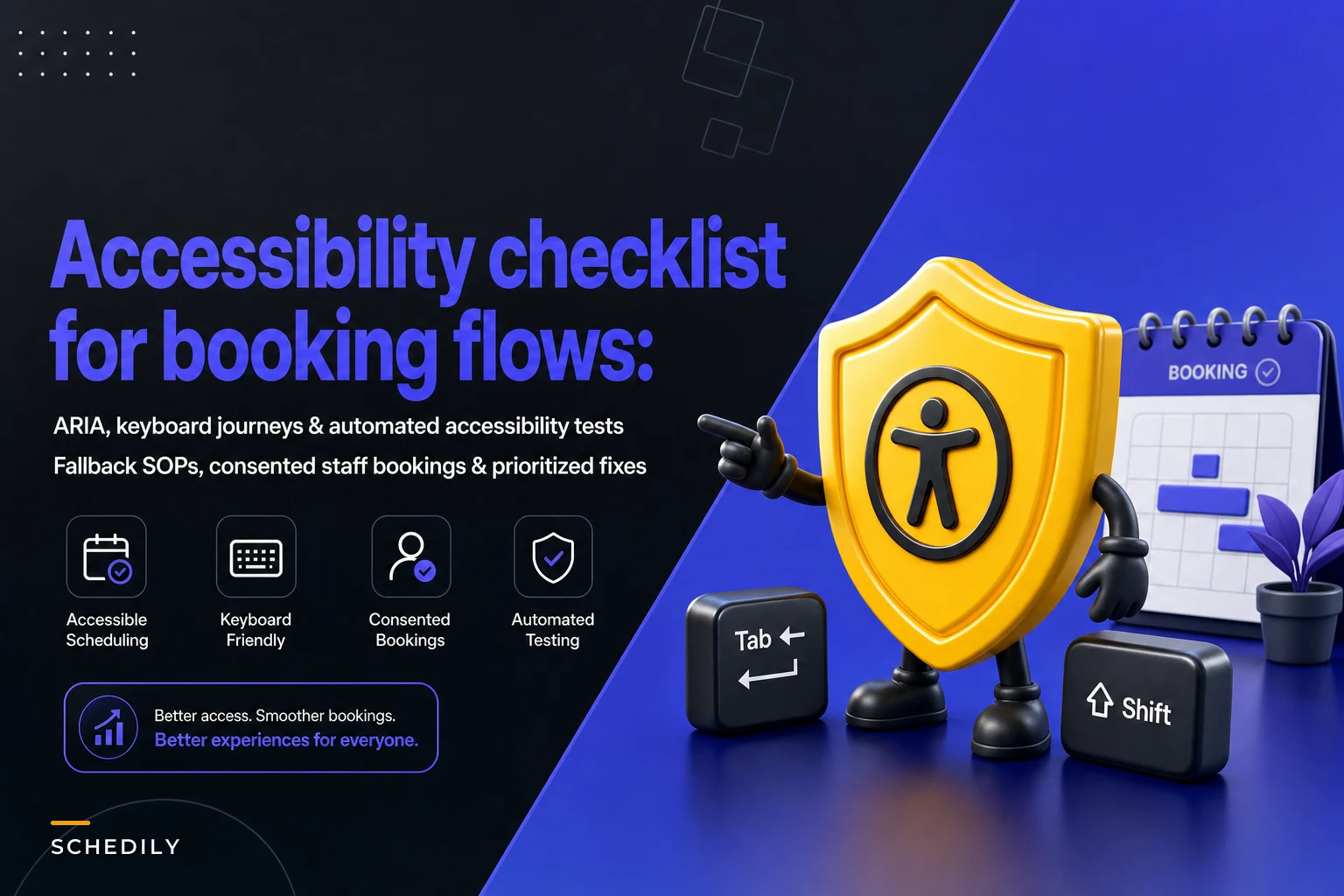

Most accessibility work on booking flows stalls in the same spot: someone runs a scanner, gets 47 warnings, and nobody knows which three actually stop a person from completing a booking. So the report gets archived, and the flow stays broken for the people who needed it fixed.
This is a triage guide, not a compliance lecture. The goal is to help you sequence the work so the fixes that unblock real bookings happen first, and the cosmetic stuff waits. We'll also cover the part nobody writes about — what your staff actually does when the digital flow fails and someone needs a special-access booking handled by a human.
Why booking flows fail differently than the rest of your site
A marketing page that isn't fully accessible is annoying. A booking flow that isn't accessible loses the sale and, depending on your industry, creates legal exposure. The stakes are just higher because the flow is transactional and multi-step.
The failure pattern is almost always the same: individual components pass a scanner, but the journey breaks. A date picker that's technically labeled but traps keyboard focus. A "confirm" button that's reachable by mouse but sits behind a modal that screen readers announce as empty. A time-slot grid that reads out "button, button, button" with no context about which day or time each button represents.
Scanners catch the component-level problems. They almost never catch the journey-level ones, and the journey-level ones are what actually cost you bookings.
A useful way to think about it: an automated test tells you whether an element is labeled. Only a keyboard walkthrough tells you whether the element is usable in sequence. Those are different questions, and most teams only answer the first one.
The prioritization framework: block, friction, polish
Before touching a single line of code, sort every issue into one of three buckets.
Eliminate scheduling conflicts and missed meetings.
Schedily helps you organize and manage all appointments and team availability effortlessly.
- Unified appointment and resource management
- Automated notifications & reminders
- Team calendar synchronization
No credit card required
| Tier | Definition | Example | Fix window |
|---|---|---|---|
| Block | Prevents completion entirely for some users | Keyboard can't reach the submit button; date picker traps focus | Immediate |
| Friction | Completion possible but painful or error-prone | Time slots read without their date context; error messages not announced | Within the sprint |
| Polish | Suboptimal but not blocking | Low contrast on a "help" link; redundant alt text | Backlog |
The mistake almost everyone makes is treating a scanner's severity rating as the priority order. Scanners rate by technical severity, not by booking impact. A "critical" contrast failure on a footer link matters far less than a "moderate" focus-order issue on your confirm step. Re-sort everything by whether it stops a booking.
Start with the keyboard journey, not the code
The single highest-value test costs nothing: unplug your mouse and book an appointment start to finish using only Tab, Shift+Tab, Enter, Space, and arrow keys. Do it on your real production flow.
-
Can you reach every interactive element? Tab through the whole flow. Anything you can't land on is a block.
-
Does focus order match visual order? If Tab jumps from the name field to the submit button and then back up to the email field, users get lost. Very common with flows built out of stacked components.
-
Can you escape every modal and dropdown? Focus traps in date pickers and time selectors are the number one silent booking killer. If you can't Escape out or Tab past it, neither can a keyboard user.
-
Is the focus indicator visible at every step? If you can't see where you are, the flow is unusable even if it technically works. Teams strip default focus outlines for aesthetics and forget to replace them.
-
Do errors move focus to the problem? Submit with an empty required field. If focus stays on the button and the error appears silently three fields up, a screen reader user has no idea what happened.
Do the keyboard walkthrough on the actual production flow and repeat it on mobile to catch platform-specific traps.
That five-step walkthrough surfaces more real blocks than any tool. When a flow "passes automated tests but users still complain," it's almost always steps 3 and 5 failing.
ARIA: the smaller the better
ARIA is where good intentions create new bugs. The pattern that keeps showing up: a team hears "add ARIA labels for accessibility," bolts aria-label and role attributes onto everything, and ends up with a flow that announces contradictory or redundant information.
-
Native HTML first. A real
<button>and a real<select>come with keyboard behavior and screen-reader semantics built in. A<div>dressed up with ARIA does not, and you'll spend hours reimplementing what the browser already gave you. -
Live regions for the parts that change. When a time slot gets selected, when a slot fills and disappears, when a discount code applies — those dynamic changes need an
aria-liveregion so screen reader users hear them. Silent state changes are a top source of confused abandonment. -
Label the purpose, not the element. "Button" is useless. "Book 2:30 PM, Tuesday, with Dr. Reyes" is a booking. Time-slot grids especially need each option to carry its own full context, because users don't hear the surrounding layout.
-
Don't announce decoration. Loading spinners, spacer icons, and background images should be hidden from assistive tech, not described.
More ARIA is not more accessible. A flow with three precise live regions beats a flow with forty labels that repeat what's already on screen.
Transcript and fallback workflows
Two separate things fall under "fallback," and most checklists skip both.
Media fallbacks. If your booking flow includes video — an intake explainer, a "how your appointment works" clip, a virtual consultation — you need transcripts and captions. Not because a scanner flags it, but because a meaningful chunk of people either can't hear the audio or are booking somewhere they can't turn sound on. A transcript also doubles as a text resource that helps everyone skim.
Flow fallbacks. This is the bigger operational gap. When the digital flow fails a user — any reason, accessibility or otherwise — is there a working non-digital path? A visible phone number, an email intake, a text-to-book option, or a staffed chat that can actually create the booking, not just apologize for the app.
An accessible fallback is only real if a human can complete the booking through it. A phone number that routes to voicemail during business hours is not a fallback. A "contact us" form with a 48-hour response time is not a fallback for someone trying to book today.
Staff SOPs for special-access bookings
When someone calls or emails because they couldn't complete the online flow, your staff needs a defined path — not improvisation.
A workable SOP looks like this:
-
Recognize the request. Train front-desk and phone staff to hear "I couldn't get the website to work for me" or "I use a screen reader" as a special-access flag, not a generic complaint.
-
Complete the booking on the customer's behalf, immediately. Staff should be able to create, modify, and confirm a booking from the back end while the person is still on the line. No "let me send you a link."
-
Capture the access need, with consent. If someone needs a ground-floor room, extra appointment time, or a specific communication method, that preference should attach to their profile so it carries forward — you don't want them re-explaining every visit. Handle this with the same care you apply elsewhere in the booking lifecycle for consent and retention.
-
Confirm through their preferred channel. Some people need email confirmation, some need SMS, some need a phone callback. Ask, don't assume.
-
Log the failure that sent them to the fallback. Every fallback booking is a bug report about your digital flow. If you're logging them, patterns emerge — "six people this month couldn't get past the date picker on mobile Safari" tells you exactly what to fix next.
Here's a simple visual of that SOP.
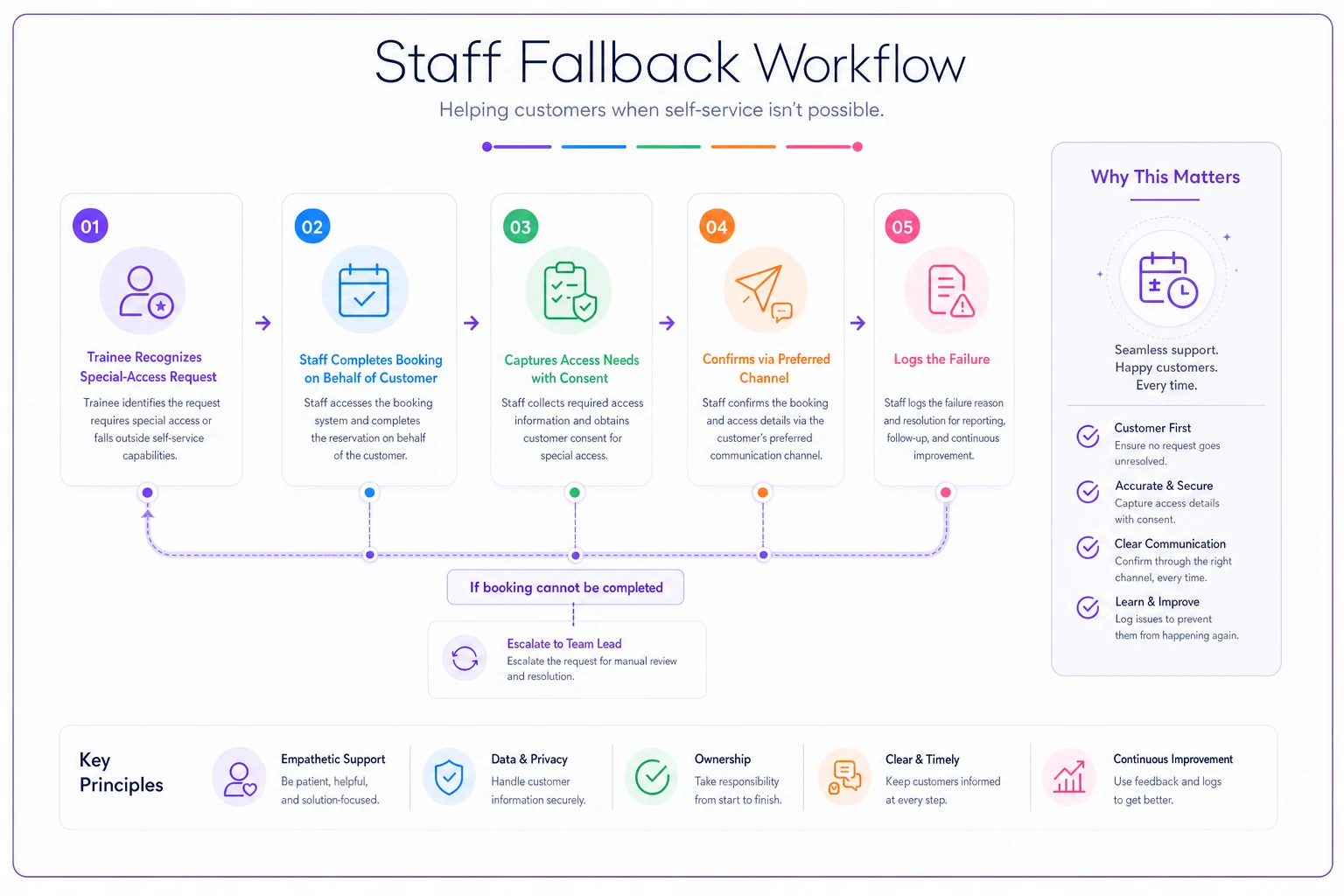
That last step is the quiet superpower. Your special-access bookings become a prioritized backlog of your worst accessibility blocks, ranked by how often real people hit them.
Automated tests: what they're good for, and what they're not
Automated accessibility testing belongs in your pipeline, but keep its role honest. It's a regression guard, not a certification.
Where it earns its keep:
-
Catching reintroduced bugs. A developer removes a label during a refactor; the test fails; it never ships. This is the real value — preventing backsliding on things you already fixed.
-
Enforcing baseline hygiene. Missing form labels, empty buttons, images without alt attributes. Cheap, consistent, worth automating.
-
Running on every build. Tools like axe-core or pa11y integrated into CI catch the mechanical failures before merge.
Where it fails silently:
-
Focus order and keyboard traps — mostly invisible to scanners.
-
Whether labels are meaningful — a scanner is happy with
aria-label="button". -
Whether the journey works — no tool books an appointment end to end the way a person does.
A realistic split: automated tests cover roughly 30–40% of real issues. A scheduled manual keyboard-and-screen-reader walkthrough covers the rest. Teams that rely only on the automated side ship flows that pass every test and still lose bookings.
When heavy investment makes sense — and when it doesn't
Do the full treatment when: your booking flow is custom-built, high-volume, or in a regulated industry (health, legal, public services, education). The exposure and the lost-revenue math both justify it.
A lighter approach is fine when: you're on a mature booking platform that handles component-level accessibility for you. In that case your real work is the journey testing and the staff SOPs — the parts no platform does for you.
Who should not attempt a from-scratch fix: small teams with no front-end resourcing trying to hand-code an accessible date picker. This is genuinely hard, and rolling your own is where most new bugs come from. Use a well-tested component library or a booking platform that's already solved it, and spend your effort on the operational fallback layer instead.
A quick real scenario
A specialty clinic running roughly 300–350 online bookings a month kept getting phone calls from patients who "couldn't finish on the website." Staff treated each one as a one-off, rebooked by hand, and moved on. Nobody connected the calls.
When they finally logged the fallback bookings for a month, the pattern was obvious: about 20 a month were failing at the same mobile time-slot step, and a handful of screen-reader users were hitting a focus trap in the confirmation modal. Two focused fixes — the modal trap and the slot-grid labels — cleared most of it.
The measurable change wasn't dramatic in headline terms, but phone-based rebookings dropped by more than half, which freed up front-desk time they'd been quietly losing every day. The bigger win was that people who'd previously given up were now completing bookings without calling at all.
The prioritized checklist
Run this in order. Stop and fix anything in the first group before moving on.
Blocks (fix now):
-
- [ ] Full keyboard walkthrough completes a booking with no mouse
-
- [ ] No focus traps in date pickers, time grids, or modals
-
- [ ] Submit/confirm button reachable and operable by keyboard
-
- [ ] Errors move focus and are announced, not silent
-
- [ ] A working, staffed fallback path exists and can complete a booking
Friction (fix this cycle):
-
- [ ] Focus order matches visual order throughout
-
- [ ] Visible focus indicator at every step
-
- [ ] Time slots announce full context (day, time, provider)
-
- [ ] Dynamic changes (slot filled, code applied) use live regions
-
- [ ] Confirmations go out through the user's preferred channel
Polish (backlog):
-
- [ ] Contrast meets standards on all text and controls
-
- [ ] Decorative elements hidden from assistive tech
-
- [ ] Redundant or repetitive labels cleaned up
-
- [ ] Transcripts and captions on any booking-related media
Ongoing ops:
-
- [ ] Automated tests run on every build as a regression guard
-
- [ ] Every fallback booking logged as a flagged flow failure
-
- [ ] Access needs stored on the profile with consent, carried forward
Run this in order. Stop and fix anything in the first group before moving on.
A note on adjacent flows
Accessibility problems rarely stay in one lane. If your booking flow spans in-person and virtual visits, the fallback paths and confirmations get more complicated — worth reading alongside how buffer rules and equipment checks play out in hybrid appointment operations.
And if your confirmations rely on time display, remember that unclear or wrong times are their own kind of barrier; the time zone and DST handling in your scheduling directly affects whether a confirmed slot means what the user thinks it means.
Closing thought
Accessibility work stalls not because teams don't care, but because a scanner report is a pile of undifferentiated warnings with no sense of what actually stops a person from booking. Sort by booking impact, walk the flow with a keyboard, build a fallback a human can actually complete, and log every failure that pushes someone to it. Do those four things and you'll fix more real blocks in a week than a year of chasing scanner warnings ever will.
Ready to optimize your scheduling and operations?
Join thousands of businesses using Schedily to save time, improve coordination, and enhance operational efficiency.