

Most booking pages look fine on a desktop demo. The problem is that roughly 65–75% of booking traffic for appointment-driven businesses now comes from a phone, and the phone is where things fall apart in ways the desktop never shows you. A widget that loads in 400ms on your laptop takes 3 seconds on a mid-range Android over spotty LTE. A confirmation link that works beautifully in your email client dumps a customer into a logged-out state inside an in-app browser. An SMS reminder fires at the wrong local time and the customer ignores it entirely.
This playbook is narrow on purpose. It's about the specific mechanical failures on mobile that cause two expensive outcomes: drop-off (the customer leaves before confirming) and misbookings (they confirm the wrong thing, or a duplicate, or a slot that technically doesn't exist anymore). Both show up as "lost revenue" in your reports, but they have completely different root causes and get fixed in completely different places.
Here's how those failures actually play out, roughly in the order a customer hits them.
The widget is slower than you think, and slow widgets leak customers
The booking widget is usually the first thing to break, and almost nobody measures it correctly. You test it on office wifi with a cached asset. The customer tests it on a train.
The pattern that actually causes damage: a widget that fetches availability after it renders creates a visible gap where the customer sees an empty calendar or a spinner. On a phone, anything past about 2 seconds of spinner starts losing people — not all at once, but a steady bleed. A business doing around 300–400 monthly online bookings might lose 15–25 of them purely to this. They'll never show up anywhere because the customer just closed the tab.
What makes it worse: third-party widgets often load analytics, fonts, and a payment SDK before availability data. So the thing the customer actually wants — open time slots — is last in the queue.
What to actually measure:
-
Time to first slot visible — not page load, not "widget initialized." The moment a bookable slot is on screen and tappable.
-
Availability fetch latency separated from render time, so you know whether the delay is your backend or the browser.
-
Interaction readiness — the gap between a slot appearing and it actually responding to a tap. Phones often render before the JS handlers attach, and early taps do nothing.
Render a cached availability snapshot immediately and reconcile live at tap-time to hide spinners and reduce misbookings.
A fix that works more often than it should: render a cached or near-real-time availability snapshot immediately, then reconcile against live availability when the customer actually taps a slot. You show something instantly instead of a spinner, and you only need the slow, authoritative check at the one moment it matters — slot selection. This also quietly reduces a class of misbookings, because the live check at tap-time catches slots that got taken 30 seconds ago.
Deep links and deferred links: where confirmed customers vanish
This is the failure that frustrates operators most, because the customer did everything right. They tapped your reminder, they wanted to reschedule or confirm, and the link sent them somewhere useless.
Eliminate scheduling conflicts and missed meetings.
Schedily helps you organize and manage all appointments and team availability effortlessly.
- Unified appointment and resource management
- Automated notifications & reminders
- Team calendar synchronization
No credit card required
Two distinct problems hide under "the link didn't work":
Deep links that are supposed to open a specific booking (say, /booking/8842/reschedule) but open your homepage instead, because the app or site didn't preserve the booking context after a login redirect or an in-app browser handoff.
Deferred deep links — the customer doesn't have your app installed, taps a link, gets sent to the app store, installs the app, and then lands on a generic home screen with no memory of what they were trying to do. The intent is gone. On deferred flows, you routinely see 40–60% of the original intent evaporate between the store redirect and the first app open.
In practice, this usually happens when marketing, the dev team, and whoever owns SMS all assume someone else is handling link state. The reminder text contains a link that works if the customer is logged in on the same browser that made the booking. On mobile, that assumption is wrong constantly — SMS links open in a sandboxed in-app browser (Messages, then maybe a redirect through a link-tracker, then your page) with none of the original session cookies.
How to make deep-link flows survive mobile reality:
-
Encode booking identity in the link itself, not just in the session. A signed token tied to the booking ID means the destination page can reconstruct context even in a cold, logged-out browser.
-
Always have a logged-out fallback view. If the customer can't authenticate, they should still see "Appointment with [business], Thursday 2pm" and a single action, not a login wall.
-
For deferred flows, pass intent through the install. Use a deferred-deep-link mechanism that stores the pending action (confirm / reschedule / cancel) and resolves it on first open, so the customer lands on the exact screen they expected.
-
Avoid chained redirects. Every hop through a tracker or shortener is another place where parameters get stripped. Test the actual path an SMS link takes, not the clean URL you pasted.
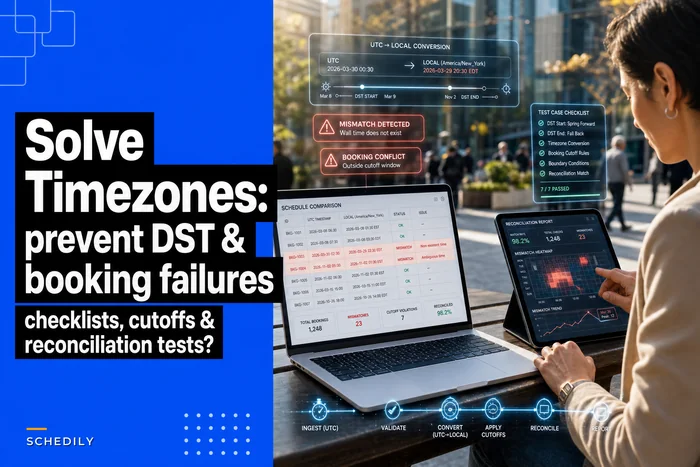
One thing people miss: deep links interact badly with time logic. A "reschedule" link that lands the customer in a flow showing times in the wrong zone produces confident misbookings — the customer picks "3pm" meaning their time, your system stores it as something else. If you haven't already nailed this, the time zone and DST checklist for scheduling covers the storage and display rules that keep deep-link reschedules from silently shifting an hour.
SMS and app reminders: timing and semantics matter more than copy
Everyone obsesses over reminder wording. The bigger levers are when it sends and what action it offers.
A reminder that fires at the wrong hour gets ignored, and an ignored reminder is nearly as bad as no reminder. The classic mistake: scheduling reminders on server time or the business's local time instead of the customer's. A business with customers across two or three time zones sends "your appointment is tomorrow at 10am" at what is, for a chunk of recipients, 6am or 11pm.
The second mistake is reminders that don't map cleanly to a booking action. "Reply YES to confirm" is fine, but if the reply doesn't update the actual booking record — if it just logs a text somewhere a human has to read — you've built the appearance of a confirmation system without the substance.
A reminder cadence that holds up across most appointment businesses:
| Touchpoint | Timing | Channel | Action it should enable | Common failure |
|---|---|---|---|---|
| Booking confirmation | Immediate | SMS + email | Add to calendar, view/reschedule link | Link opens logged-out dead end |
| First reminder | 24h before (customer local) | SMS or app push | One-tap confirm | Fires in wrong timezone |
| Final reminder | 2–3h before | SMS | Reschedule / cancel, not just "see you soon" | No action, pure notification |
| No-response follow-up | ~45 min after missed confirm window | SMS | Confirm or release slot | Never built; slot held dead |
That last row is the one most businesses skip, and it's where capacity quietly dies. If a customer never responds to the confirm prompt, you're holding a slot for someone who may not come, while turning away people who would. A follow-up that either confirms them or releases the slot recovers more capacity than any amount of reminder copy-editing.
A smaller but real detail: app push and SMS shouldn't both fire for the same event. Customers with your app installed getting a push and a text for the same reminder read it as spam, and some will mute all your notifications — which kills the channel for the reminders that actually matter.
Offline and resume: the half-finished booking problem
Mobile connections drop mid-flow more than anyone plans for. Elevator, parking garage, a tunnel, a train between cells. The question is what your booking flow does when the customer taps "confirm" and the request fails silently.
The two bad outcomes:
-
The customer thinks they booked, but the request never landed. They show up to nothing, or more commonly, they're a no-show from your side because the appointment doesn't exist.
-
The customer retries, the first request did land late, and now you have a duplicate booking — a misbooking you'll pay to untangle.
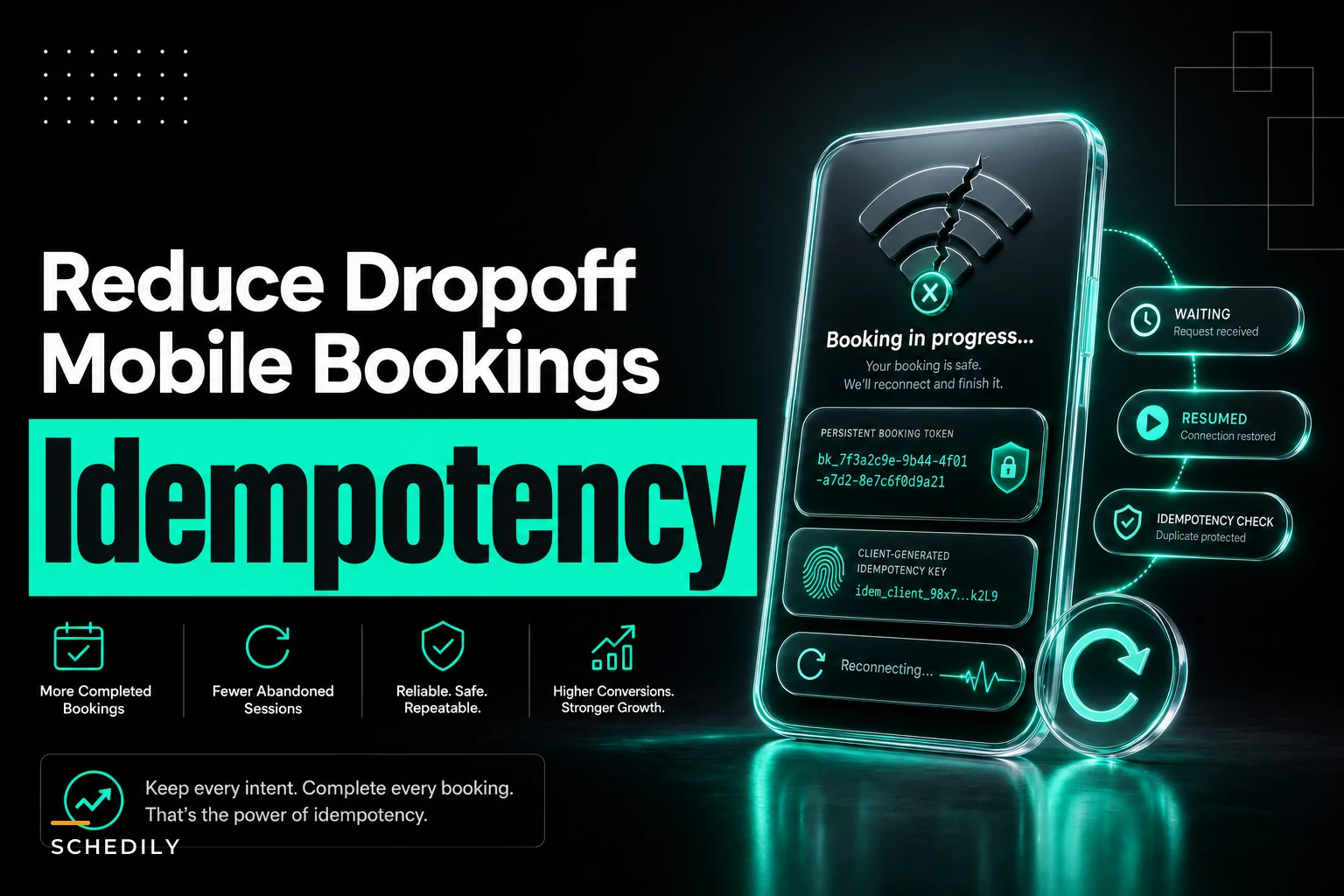
A workable pattern: make the confirm action resumable and idempotent from the client's perspective. Hold the in-progress booking state locally (which service, which slot, which contact info) so that if the connection drops, the customer returns to a "finish your booking" state instead of a blank form. Attach a client-generated request key to the confirmation so a retry doesn't create a second appointment — the server recognizes the key and returns the existing booking instead of making a new one.
Visual of the resumable confirm + idempotency flow:
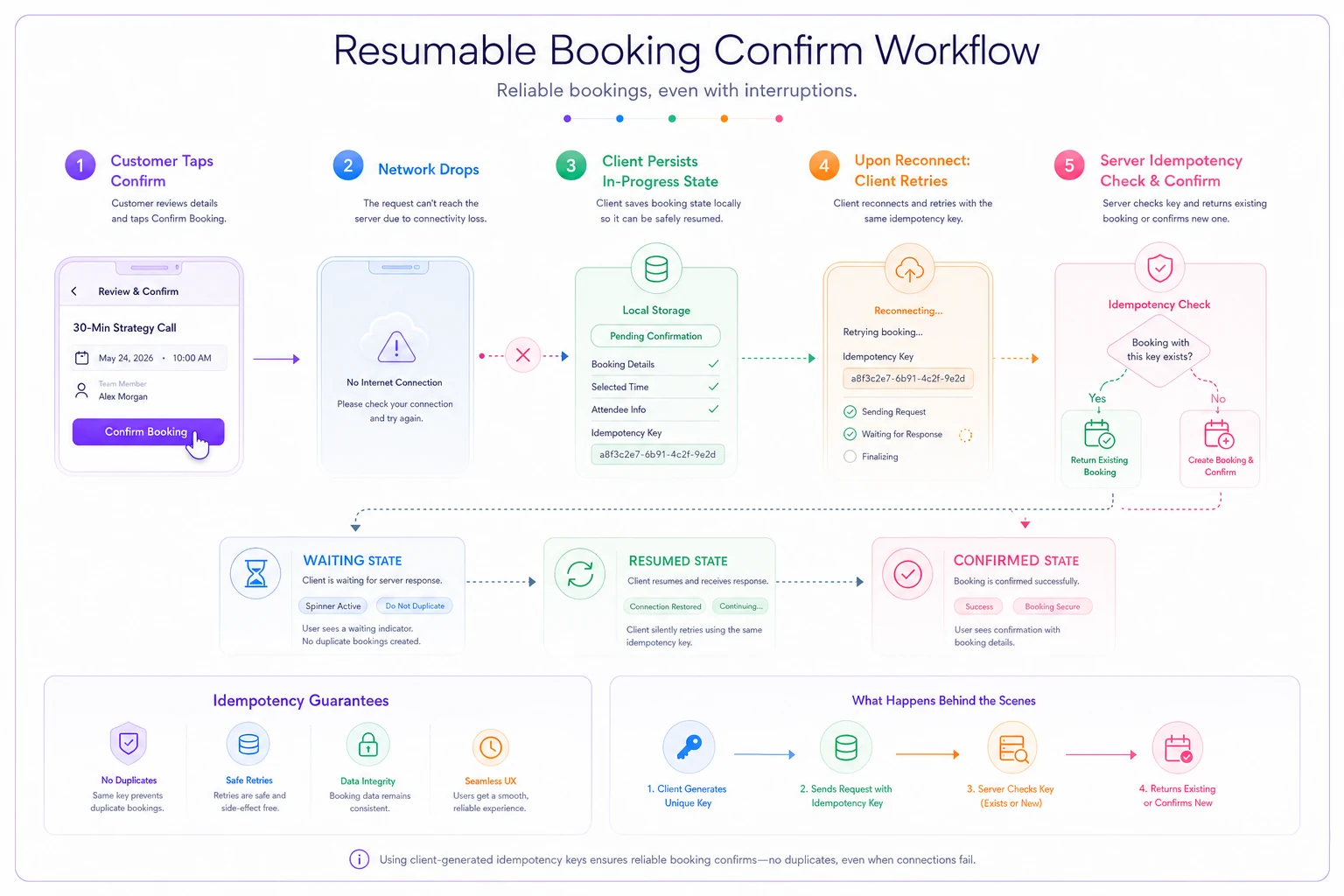
The experience you're aiming for: customer loses signal mid-confirm, regains it 90 seconds later, reopens the page, and sees "You're almost done — confirm your Thursday 2pm?" rather than starting over. The ones who start over mostly don't finish.
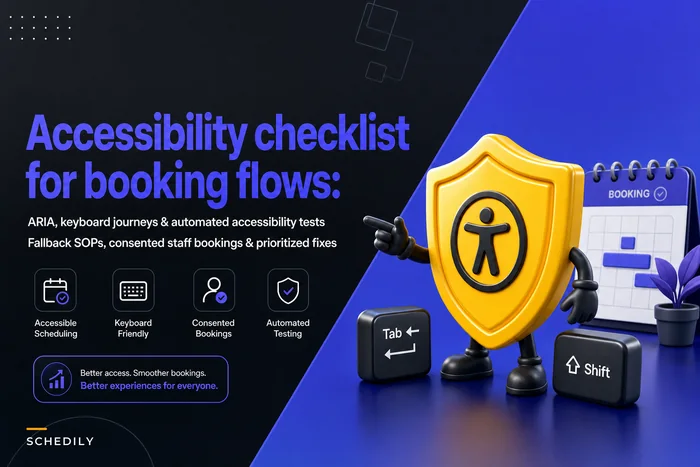
This is also an accessibility issue as much as a connectivity one. A resume flow that can't be navigated by keyboard or screen reader just moves the drop-off to a different group of customers. The accessibility checklist for booking flows is worth running against your resume and error states specifically, because those screens are almost never tested as carefully as the happy path.
Measurement mapped to booking semantics (not just page analytics)
Generic funnel analytics will tell you people dropped off. They won't tell you whether they dropped because the widget was slow, the deep link broke, or they confirmed a slot that no longer existed. To fix mobile drop-off you have to map events to booking meaning, not page views.
Instrument these as distinct, named events:
-
slot_viewed — a bookable slot became visible (your real "page ready" metric)
-
slot_selected — customer tapped a specific time
-
slotrejectedtaken — live check at tap found the slot gone (measures how often your availability is stale)
-
detailsstarted / detailscompleted — the form stage, split so you can see where the form itself leaks
-
confirm_attempted — customer tapped confirm
-
confirmsucceeded / confirmfailed_network — split by failure type
-
duplicate_suppressed — your idempotency key caught a retry (if this number is high, your network or UX is causing double-taps)
-
deeplinkresolved / deeplinkfallback — whether the inbound link reached the right context or dropped to fallback
The ratio of confirmattempted to confirmsucceeded tells you about reliability. The gap between slotviewed and slotselected tells you about widget and availability quality. A high slotrejectedtaken rate means your displayed availability is lying to customers, which drives both frustration and misbookings.
A real scenario
A multi-location massage and bodywork business — three locations, somewhere around 900–1,000 appointments a month combined — was seeing mobile confirmation rates noticeably below desktop. Desktop converted fine; mobile leaked.
Two things stood out when we dug in. First, their widget fetched availability after render, so phones showed a spinner for 2–4 seconds depending on connection. Second, their 24-hour reminder sent on the business's local time, which was off by an hour for a meaningful slice of customers at their location near a time-zone boundary — plus the reminder link dropped customers into a login wall in the SMS in-app browser.
They did three unglamorous things: rendered a cached availability snapshot immediately with a live re-check at tap, moved reminders to customer-local time, and added a signed-token fallback view so the reminder link showed the appointment and a reschedule button without requiring login.
Over the following couple of months, mobile confirmations climbed from the low 60s into the mid-to-high 70s percent range, and the duplicate-booking tickets their front desk had been quietly cleaning up each week mostly disappeared. Nothing about the offer or pricing changed — it was purely mechanical.
Synthetic test cases worth running regularly
Real traffic won't reliably reproduce these failures on demand, so you build synthetic tests that do:
-
Throttled widget load — simulate mid-range device on slow 3G/4G, assert time-to-first-slot under your threshold.
-
Cold deep link — open a reschedule link in a fresh, logged-out, in-app-browser context; assert the correct booking context loads or the fallback renders.
-
Deferred install path — simulate tap → store → install → first open; assert the pending action resolves.
-
Cross-timezone reminder — create a booking for a customer in a different zone; assert the reminder timestamp matches their local time.
-
Network drop mid-confirm — kill the connection after confirm tap; assert resume state exists and that a retry doesn't duplicate.
-
Stale slot — select a slot, have another process take it, then attempt confirm; assert a clean "slot taken, pick another" instead of a silent failure or a double-book.
Real traffic won't reliably reproduce these failures on demand, so you build synthetic tests that do:
Implementation checklist
Measure time to first bookable slot, not page load
Render availability instantly from a snapshot, re-validate live at slot selection
-
Measure time to first bookable slot, not page load
-
Render availability instantly from a snapshot, re-validate live at slot selection
-
Ensure tap handlers are attached before slots appear tappable
-
Encode booking identity in reminder links via signed token
-
Build a logged-out fallback view for every deep-link destination
-
Implement deferred deep links that carry intent through install
-
Eliminate chained redirects in SMS links; test the real path
-
Schedule all reminders in customer-local time
-
De-duplicate push vs SMS for the same event
-
Add a no-response follow-up that confirms or releases the slot
-
Persist in-progress booking state for resume after connection loss
-
Attach idempotency keys to confirm requests
-
Instrument booking-semantic events, split success/failure by type
-
Run the six synthetic tests on a schedule, not just before launch
Run the six synthetic tests on a schedule, not just before launch
When to prioritize this — and when not to
This work pays off most when a large share of your bookings come from phones and your mobile confirmation rate trails desktop by a meaningful margin. If you're seeing duplicate bookings, mysterious no-shows that correlate with reminder links, or support tickets about "the link didn't work," that's your signal.
It's a lower priority if your volume is small, mostly phone-booked through a human, or your mobile and desktop conversion already sit close together — in that case the engineering time is better spent elsewhere. And it's genuinely a bad idea to start here if your underlying availability data is unreliable; fixing the mobile layer on top of a shaky source of truth just makes the broken slots load faster.
Mobile drop-off and misbookings are rarely a motivation problem on the customer's side. The customer usually wanted to book. They tapped the link, they picked a time, they hit confirm. The revenue leaked in the three-second spinner, the logged-out fallback that didn't exist, the reminder that arrived at 6am, and the confirm request that died in a parking garage. Fix those mechanics and the conversions you were already supposed to get stop slipping through.
Ready to optimize your scheduling and operations?
Join thousands of businesses using Schedily to save time, improve coordination, and enhance operational efficiency.