
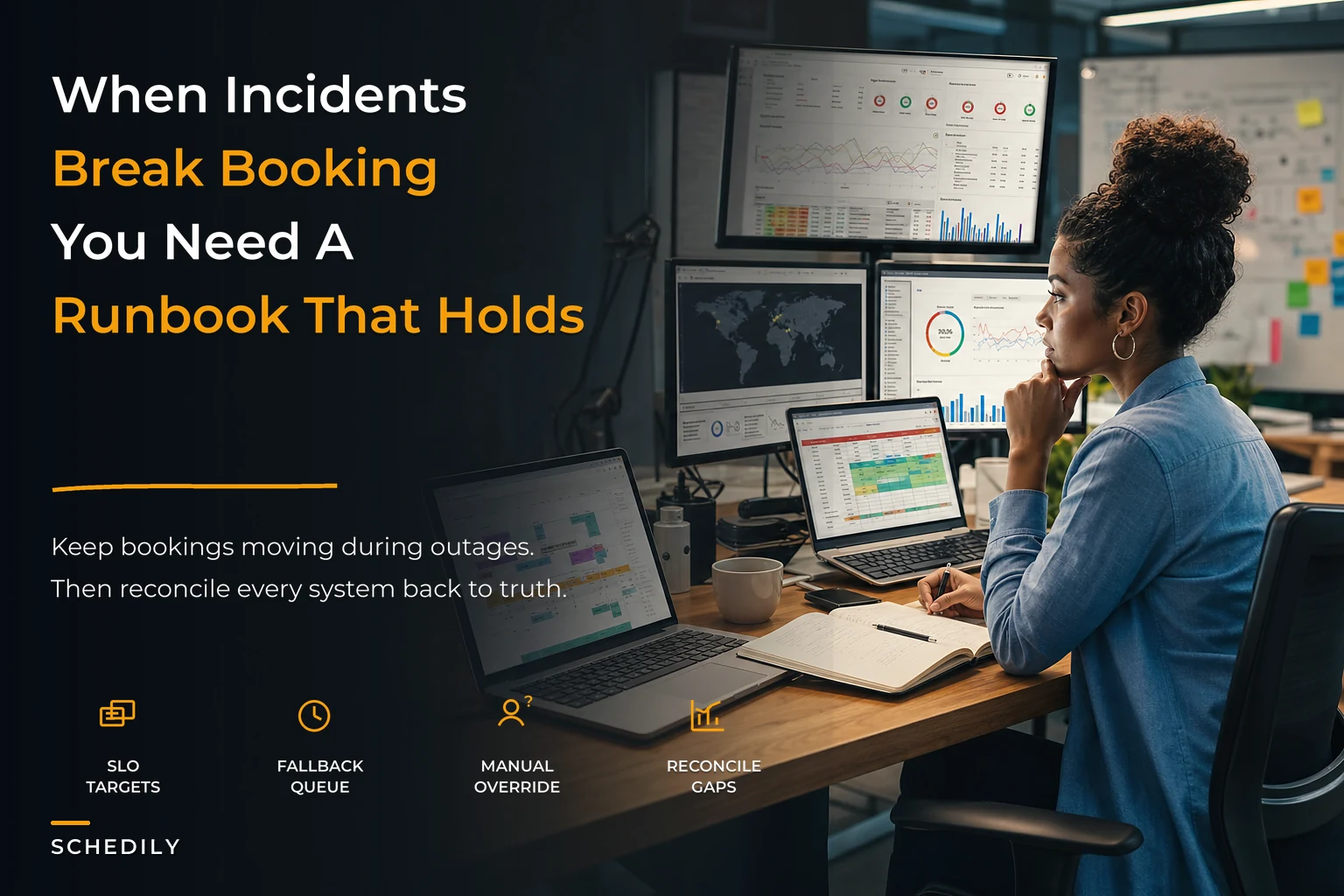

Most scheduling outages don't look like outages. The site loads. The booking button works. Confirmations still go out. But behind the scenes, the source of truth has quietly split into three versions — your internal database, the customer-facing widget, and the Google/Outlook calendar your staff actually look at — and none of them agree anymore.
That's the failure mode nobody plans for. Teams build incident response around "the system is down," when the far more common and far more expensive problem is "the system is up and confidently wrong." A scheduling incident response runbook has to account for that second case, because that's the one that double-books your best technician, sends a client to an empty office, and doesn't get caught until someone's already standing at the front desk.
This is the operational backbone most appointment-driven businesses never build until after a rough week forces them to. So let's build it properly.
Start by defining what "healthy" even means for schedule data
You can't respond to a scheduling incident if you have no baseline for what a working schedule looks like. This is where SLOs (service level objectives) come in — not the abstract SRE version, but concrete promises about your schedule data that a non-engineer can actually verify.
The mistake most operators make is defining uptime SLOs ("the booking page is available 99.x% of the time") and stopping there. Availability is the easy part. The harder, more valuable SLOs describe data correctness and freshness, because that's what actually breaks in calendar-integrated systems.
A useful set of schedule SLOs usually covers four things:
| SLO type | What it measures | A realistic target |
|---|---|---|
| Freshness | Max lag between a booking event and it appearing on staff calendars | Under 60 seconds, 99% of the time |
| Consistency | % of appointments that match across DB, widget, and external calendar | 99.9% at any reconciliation check |
| Booking success | % of attempted bookings that complete without error or duplicate | 99.5%+ |
| Conflict rate | Double-bookings or overlaps per 1,000 appointments | Under 1 per 1,000 |
Consistency and freshness are the ones tied to calendar sync — and they're the ones that silently degrade. A sync connection can keep "working" while introducing a 40-minute lag, and everything looks fine until a same-day reschedule collides with a stale calendar entry. If you've dealt with recurring drift between systems, the mechanics behind that are worth reading in our breakdown on conflict-resolution rules and sync governance, because your SLOs only mean something if the underlying sync has clear tie-breaking rules.
The point of writing SLOs down isn't to hit some perfect number. It's to give your team an unambiguous trigger. When freshness lag crosses 5 minutes, that's not "someone should look into it eventually" — that's an incident, and the runbook activates.
The graceful degradation nobody designs: read-only windows and manual override lanes
A pattern that repeats across a lot of small operations: when something breaks, the instinct is to either keep the system fully live (and let the corruption spread) or shut everything off (and lose every booking during the outage). Both are bad. The missing middle is graceful degradation — deliberately reducing what the system is allowed to do while keeping the business running.
Eliminate scheduling conflicts and missed meetings.
Schedily helps you organize and manage all appointments and team availability effortlessly.
- Unified appointment and resource management
- Automated notifications & reminders
- Team calendar synchronization
No credit card required
Two mechanisms do most of the work here.
Read-only windows. When you detect that writes might be corrupting data — say your consistency SLO is failing or reconciliation is throwing mismatches — you freeze new automated writes to the schedule but keep everything readable. Customers can still see availability. Staff can still see today's appointments. But the system stops creating new bookings automatically until you've confirmed the source of truth is stable. This prevents the classic disaster where an integration bug books the same 2:00 PM slot eleven times in an hour while support is asleep.
Manual override lanes. During a read-only window, front-desk staff still need to book people. A manual override lane is a pre-defined, deliberately simple path — often a single controlled interface or even a shared spreadsheet with strict rules — where a named human enters bookings that get reconciled back into the system once it's healthy. The key word is lane: it's narrow, it's logged, and only specific people can use it. Without that constraint, "manual mode" turns into ten people writing appointments on sticky notes and reconciliation becomes impossible.
Rehearse the read-only window during a low-traffic period to surface broken assumptions.
The thing most teams miss: these fallbacks only work if they're rehearsed before the incident. A read-only window you've never tested will have broken assumptions baked into it. Flip it on during a normal Tuesday for twenty minutes and watch what actually breaks. That's how you find out your staff calendar doesn't refresh, or your override lane has no way to capture deposits.
When degradation makes sense — and when it doesn't
Read-only windows are the right call when the integrity of data is in question. They're the wrong call for a pure availability blip. If your booking widget is just slow because of a traffic spike, freezing writes helps no one — you want to scale or queue, not freeze.
Teams that get this wrong tend to reach for the biggest hammer every time. A minor webhook delay gets treated like a data-corruption event, staff lose trust in the runbook because it over-triggers, and the next time a real incident hits, they ignore the alert. Calibrate the response to the actual failure, not the fear of it.
Reconciliation: the cadence that catches what monitoring misses
Real-time alerts catch sudden breaks. They completely miss slow drift — the appointments that were fine when created but diverged later because someone edited a Google Calendar event directly, or a timezone offset shifted after a DST change, or a retry created a near-duplicate that dedup logic didn't quite catch.
Reconciliation is the scheduled cross-check that compares your systems of record and flags every disagreement. The question isn't whether to reconcile — it's how often, and at what granularity.
-
Continuous (near-real-time) every write triggers a lightweight check that the appointment landed identically in the DB and the linked external calendar. Mismatches queue for immediate attention.
-
Hourly sweep compare the next 48 hours of appointments across all systems. Same-day and next-day conflicts do the most damage, so this window gets the tightest loop.
-
Nightly full reconciliation compare the full forward-looking book (say, the next 60–90 days). Slow drift lives here — recurring appointments, long-lead bookings, anything edited outside your system.
-
Weekly integrity audit a human actually reviews the reconciliation logs, not just the exceptions. Patterns show up here that per-event alerts never catch — like one specific staff member's calendar drifting every Monday because of how they manage recurring blocks.
The shorter your reconciliation window, the smaller your blast radius. A business reconciling nightly discovers a corrupted slot up to 24 hours after it happened — potentially after customers already booked into the mess. An hourly sweep on the near-term book cuts that to a much tighter window where cleanup is cheap. This is exactly why event-contract design and reconciliation windows go hand in hand; the tighter your idempotency and dedup logic, the fewer exceptions your cadence has to chase.
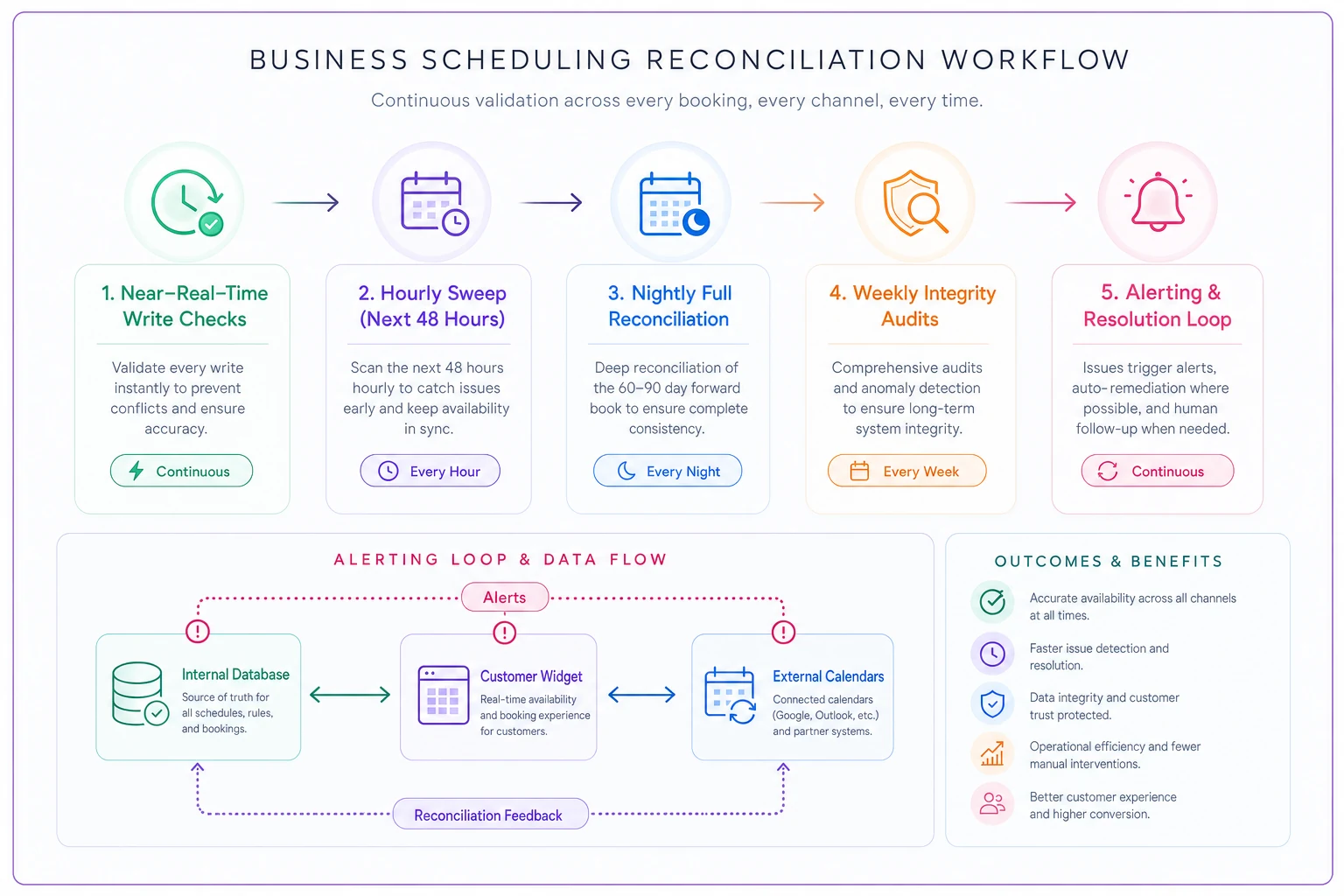
The diagram shows the reconciliation cadence and the alerting flow between systems.
This is exactly why event-contract design and reconciliation windows go hand in hand; the tighter your idempotency and dedup logic, the fewer exceptions your cadence has to chase.
Booking-fallback flows: keeping revenue alive during the incident
The part almost everyone forgets: what does a customer experience during a scheduling incident? If the answer is "an error page" or "a confirmation for an appointment that doesn't really exist," you're either losing the booking or creating a worse problem than the outage itself.
A proper booking-fallback flow degrades the customer experience without breaking it. The progression usually looks like this:
-
Tier 1 — Normal real-time availability, instant confirmation.
-
Tier 2 — Delayed confirmation the widget accepts a request rather than a confirmed slot. The customer sees "We'll confirm your 3:00 PM within 15 minutes." The request lands in a queue that a human or a stabilized system processes once integrity is verified. This is enormously useful during read-only windows — you're not losing the lead, you're deferring the commit.
-
Tier 3 — Capture-and-callback availability display is unreliable, so you stop showing live slots entirely and just capture contact info plus preferred times. Someone calls back to lock it in. Ugly, but it keeps demand from evaporating.
-
Tier 4 — Static fallback the whole booking layer is down. A simple static page with a phone number and hours. Not glamorous, but a phone number that works beats a broken form every time.
The mistake is designing only for Tier 1 and Tier 4 — fully working or fully dead. The middle tiers are where you actually protect revenue, because most incidents aren't total outages. They're partial degradations where the schedule is questionable, and a delayed-confirmation flow lets you keep taking business while you sort out the truth.
One important caution: never send a customer a firm confirmation for a booking your system can't guarantee. During a read-only or degraded window, "requested" and "confirmed" must be visibly different states. The businesses that get burned are the ones whose fallback still fires the normal confirmation email — now they've got twelve people who all believe they have the same slot.
A short real scenario
A three-location physiotherapy clinic — roughly 320–360 appointments a week across the group — had their internal system and Google Calendar drift after a sync integration silently started lagging. Nobody noticed for most of a day because the booking widget kept accepting appointments against its view of availability. By the afternoon, staff were seeing openings on their calendars that were already filled, and they'd manually booked walk-ins into them.
The result was around 18–20 conflicting appointments over about a day and a half before anyone connected the dots. Roughly a third of those turned into clients showing up to a double-booked slot — apologies, comped sessions, and a couple of lost regulars.
After the incident they did the unglamorous work: defined a freshness SLO (5-minute lag = incident), added an hourly reconciliation sweep on the next 48 hours, and built a delayed-confirmation fallback for degraded windows. The next time the same integration hiccuped — a few weeks later — the hourly sweep flagged the drift within the hour, the system dropped into a read-only window, and the front desk used the override lane. Conflicts that round: one, caught before the customer arrived. Not a heroic number, just the difference between a controlled event and a bad week.
The postmortem template that actually changes behavior
Most postmortems are theater. Someone writes up "root cause: sync failure," everyone nods, and nothing structural changes. A scheduling postmortem is only worth writing if it feeds back into your SLOs, cadences, and fallbacks.
-
Timeline when the drift/outage actually started (from reconciliation logs) vs. when it was detected vs. when it was resolved. The gap between started and detected is your most important number — it tells you whether your SLOs are tuned right.
-
Blast radius how many appointments were affected, how many customers experienced it, how much revenue was at risk vs. lost.
-
Detection path what actually caught it — an SLO alert, a reconciliation sweep, or an angry customer? If it's the third one, your monitoring has a gap.
-
What the runbook got right / wrong did the read-only window trigger correctly? Did the override lane work? Did anyone hesitate because a step was unclear?
-
Contributing factors, not a single "root cause" scheduling incidents are almost always a chain — a sync lag plus no freshness alert plus a confirmation email that fired anyway. Naming one cause hides the others.
-
Concrete follow-ups with owners and dates each tied to a specific runbook, SLO threshold, or cadence change.
Watch for this pattern across repeated postmortems: if the same detection gap shows up twice, that's your real problem — not the individual failures. Your KPI framework should be feeding these reviews, which is why it's worth grounding your postmortems in a proper operational KPI framework rather than gut feel about how bad the incident "felt."
A pre-incident readiness checklist
Walk through this once before you ever need the runbook, and fix what's missing:
-
[ ] Schedule SLOs written down with specific numeric triggers (freshness, consistency, conflict rate)
-
[ ] Alerting tied to those triggers, not just to "site is down"
-
[ ] A read-only window you've actually tested during normal hours
-
[ ] A defined manual override lane with named, authorized users
-
[ ] Reconciliation running at continuous + hourly + nightly cadences
-
[ ] Clear visual/state distinction between "requested" and "confirmed" bookings
-
[ ] Tiered booking-fallback flows, including a delayed-confirmation path
-
[ ] A confirmation system that does not auto-fire during degraded windows
-
[ ] A postmortem template stored where the team will actually use it
-
[ ] One person who owns updating the runbook after each incident
If more than three of these are unchecked, you don't have an incident response process — you have hope, which is what everyone runs on right up until the day it fails.
Where software quietly earns its keep
None of this requires exotic tooling, but it does require your systems to expose the right signals — reconciliation results, sync lag, state transitions between requested and confirmed. Booking platforms built with AI-assisted monitoring can watch freshness and consistency continuously and flag drift patterns before they cross into customer-visible damage. That's the difference between an hourly sweep catching one conflict and a manual discovery catching twenty. The value isn't automation for its own sake; it's compressing the gap between when a problem starts and when a human finds out, so your runbook triggers on data instead of on a customer complaint.
But the tooling is secondary. The businesses that handle scheduling incidents well aren't the ones with the fanciest stack — they're the ones who decided, in advance, what "broken" means, what happens when it breaks, and who's allowed to do what while it's being fixed. Write that down before you need it. The middle of an incident is the worst possible time to figure out whether your calendar or your database is telling the truth.
Write that down before you need it. The middle of an incident is the worst possible time to figure out whether your calendar or your database is telling the truth.
Ready to optimize your scheduling and operations?
Join thousands of businesses using Schedily to save time, improve coordination, and enhance operational efficiency.