

The nastiest reschedule failures aren't the ones that throw an error. They're the ones that look like they worked.
A customer moves their appointment from Tuesday 2pm to Thursday 10am through your self-service link. The confirmation email goes out. The calendar updates. Everyone's happy — until Thursday morning, when the hygienist shows up for a cleaning that needs a chair and a specific imaging unit, and the imaging unit is still committed to the Tuesday slot nobody released. The appointment moved. The resources didn't.
This is the specific problem worth digging into: self-service reschedule on multi-resource bookings, and why the lock on the appointment and the lock on the resources behind it drift apart during customer-driven changes. If you only hold a single resource per booking, most of this won't bite you. The moment an appointment depends on a person plus a room plus a piece of equipment — or any combination — partial reschedules start eating your schedule from the inside.
Why multi-resource reschedules break differently than single-resource ones
A single-resource booking is basically atomic. Move the stylist, you've moved the whole thing. One lock, one owner, one thing to validate.
Multi-resource bookings aren't atomic by default. Each resource usually has its own availability record, and the reschedule logic has to re-acquire all of them at the new time, then release all of them at the old time. The failure happens in the gap between those two operations.
-
The new slot grabs some resources but not all. The specialist is free Thursday 10am, the room is free, but the shared equipment is already booked. A well-built system should reject the whole move. A lot of systems accept the parts that are available and quietly leave the customer with a half-valid appointment.
-
The old slot never fully releases. The move succeeds at the new time, but one of the three resource locks at the old time doesn't clear. Now you've got a ghost hold eating capacity on Tuesday that no customer is attached to.
-
Two customers reschedule into overlapping resource windows within seconds of each other. Both pass the availability check because neither hold has committed yet. Classic race condition — and it's much more common on self-service than staff-driven changes because customers don't coordinate.
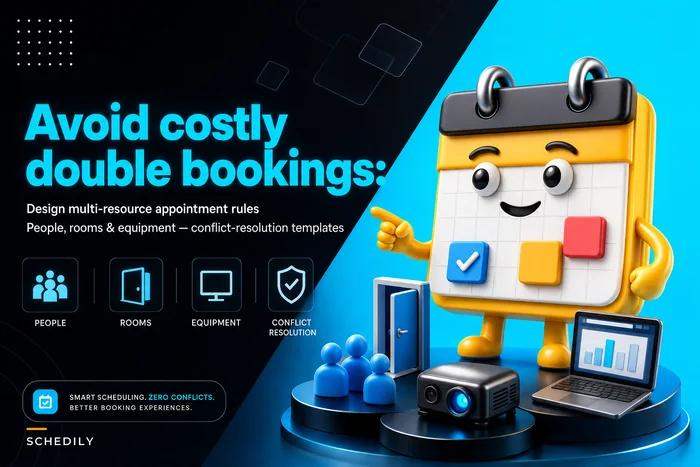
If you've read the breakdown on designing multi-resource appointment scheduling for people, rooms, and equipment, this is the self-service-specific version of that same tension. Staff reschedules are slow and deliberate. Customer reschedules are fast, concurrent, and completely unsupervised.
The lifecycle that actually prevents this: soft → firm → hard
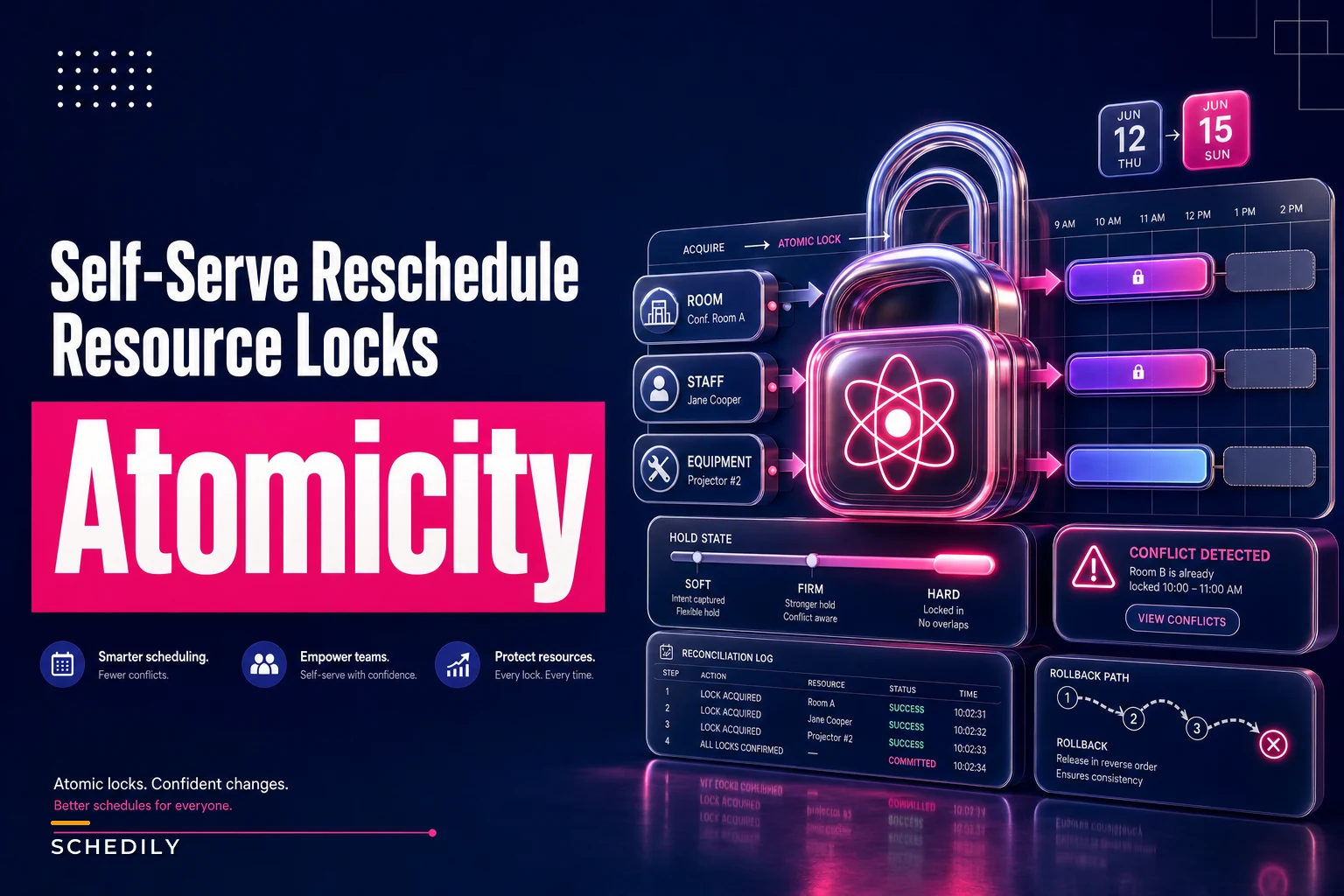
The fix that holds up under real traffic is treating a reschedule as a staged hold rather than a single commit. Three stages, each with a clear owner and an expiry.
Eliminate scheduling conflicts and missed meetings.
Schedily helps you organize and manage all appointments and team availability effortlessly.
- Unified appointment and resource management
- Automated notifications & reminders
- Team calendar synchronization
No credit card required
Soft hold — created the instant a customer starts a reschedule and picks a candidate slot. This is a tentative claim on all required resources at the new time. It's short-lived (90–120 seconds is a sane default) and it does two jobs: blocks another customer from grabbing the same resources mid-flow, and lets you validate the full resource set before anyone commits to anything.
Firm hold — created when the customer confirms, but before the old slot is released. At this point all new-time resources must be acquired together or not at all. If any single resource fails to acquire, the firm hold rolls back the whole thing and the customer stays on their original appointment. The original is still fully intact because you haven't touched it yet.
Hard commit — the old-time resources are released and the new-time hold is promoted to a confirmed booking. This is the only point where the old slot opens back up. Order matters: acquire new, then release old. Never release first.
Here's how those stages map to what the customer sees and what your system should guarantee:
| Stage | Trigger | What's locked | Expiry behavior | Customer sees |
|---|---|---|---|---|
| Soft | Customer selects new slot | New-time resources (tentative) | Auto-release after ~2 min of inactivity | "Holding this time for you…" |
| Firm | Customer clicks confirm | New-time resources (committed), old-time still held | Rolls back fully on any partial failure | "Confirming your change…" |
| Hard | All new resources acquired | New-time only; old-time released | Permanent until next change | "You're rescheduled" |
Visualizing the staged hold workflow.
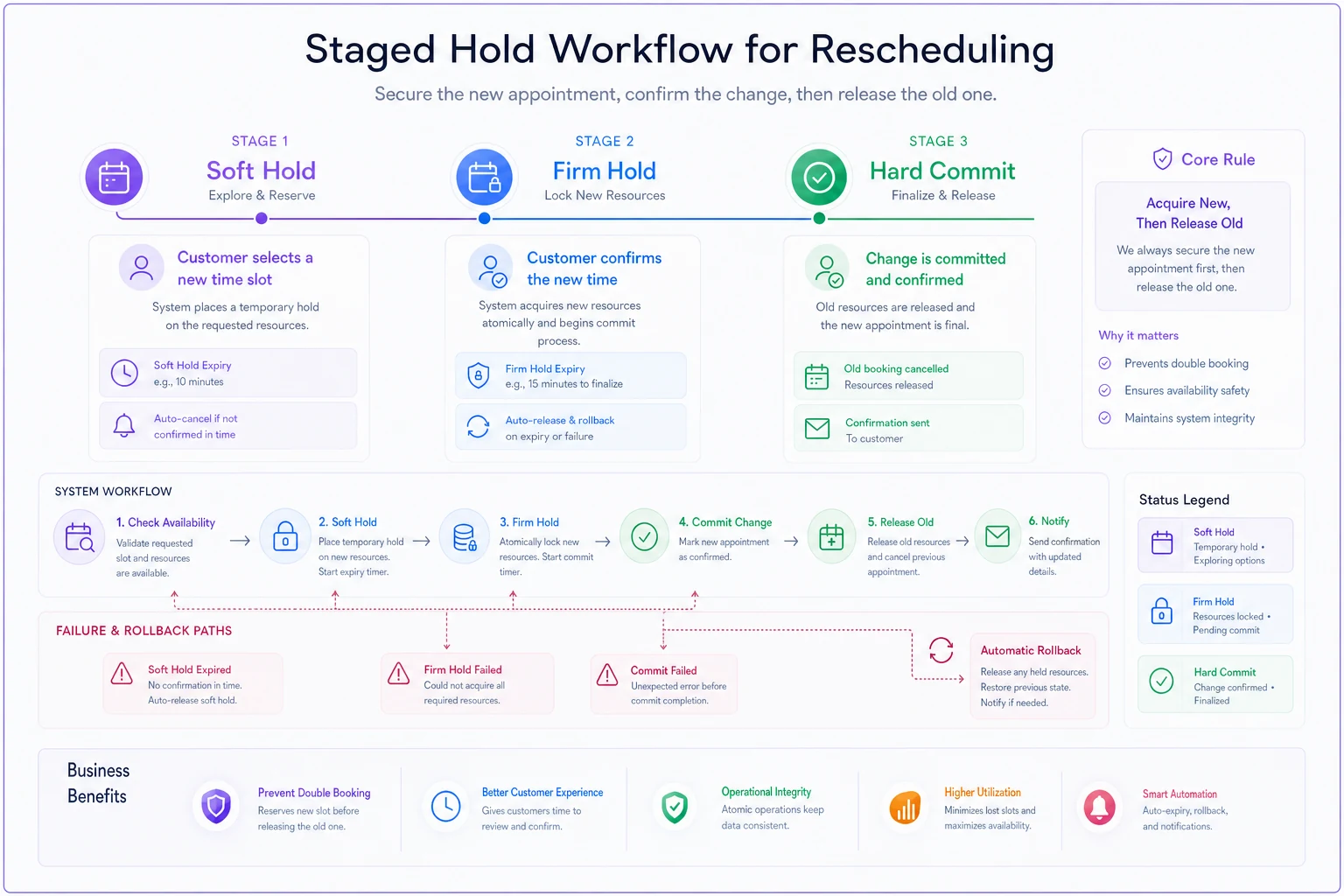
The single most important rule in that whole table: the old appointment is never released until every resource at the new time is confirmed. Most partial-breakage incidents trace back to systems that release early to "free up" capacity faster. The few seconds you save aren't worth the ghost holds and double-claims you create.
Conflict-resolution prompts: what the customer should see when it *can't* work
A clean lifecycle still has to handle the case where the new slot genuinely can't satisfy all resources. The worst thing you can do is throw a generic "something went wrong" and let the customer retry blindly — they'll just hammer the same unavailable slot.
What actually helps is surfacing why it failed and offering a constrained set of real alternatives. A few prompt patterns that cut support tickets:
-
Partial-availability prompt "Thursday 10am works for your specialist and room, but the imaging unit isn't available then. Here are the nearest times when everything you need is open: 10:40am, 1:20pm, Friday 9am." Honest about the constraint, and you've done the search work for them.
-
Single-blocker swap prompt When only one resource is the blocker and an equivalent exists — a second room of the same type, say — offer it explicitly: "Same time, different room (Room B instead of Room A). Okay?" Don't auto-swap silently; that creates its own confusion when the customer expected a specific location.
-
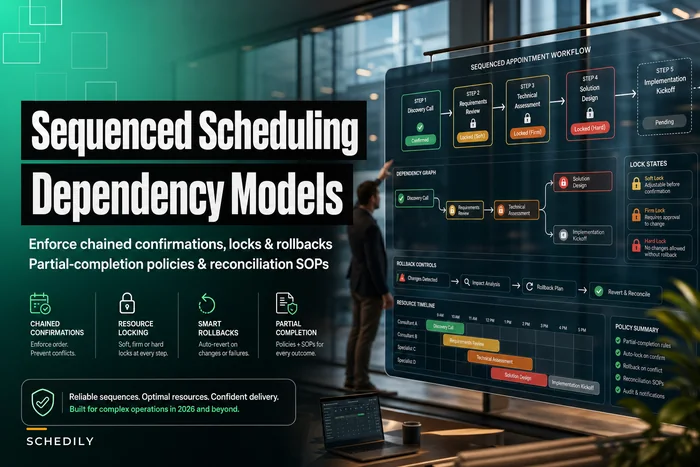
Downgrade-with-consent prompt If a slot can only be served by splitting out a dependent step, you're in sequenced-booking territory. The reasoning in the piece on sequenced appointment scheduling and partial-completion policies applies directly — don't let a customer self-serve a change that breaks a dependency chain unless your policy explicitly allows partial completion.
The pattern underneath all three: never let the customer complete a move that leaves a resource gap, and never make them guess what the gap is.
A sample self-service reschedule flow
Here's the flow worth putting in front of a customer for a multi-resource booking, step by step:
-
Customer opens their booking from a reschedule link. System reads the full resource set attached to the appointment — not just the primary one.
-
Customer picks a new date. System runs availability against all required resources combined and only shows times where every resource is free.
-
Customer selects a time. Soft hold fires on all resources at that time. A countdown starts.
-
Customer confirms. Firm hold attempts to acquire all new-time resources atomically. - If all acquire → proceed to step 5. - If any fail → roll back, keep original booking, show conflict-resolution prompt with real alternatives.
-
Hard commit
release old-time resources, promote firm hold to confirmed, send confirmation.
-
Reconciliation check fires asynchronously to verify no orphaned holds remain at the old time.
Step 2 is where most self-service tools quietly cheat. They check availability against the primary resource only, show a bunch of times that look open, and then fail at confirm because a secondary resource was never checked. If your availability view and your commit logic don't evaluate the identical resource set, you've built a trap for your own customers.
Automated reconciliation SOPs
Even a well-staged lifecycle leaks occasionally — a timeout mid-commit, a crashed worker, a webhook that didn't fire. You need a reconciliation pass that catches drift before it becomes a morning-of surprise.
A practical reconciliation SOP for multi-resource reschedules:
-
Orphaned-hold sweep (every 5 min) find any resource hold not linked to an active booking. These are almost always failed releases. Auto-clear them after confirming no booking references them.
-
Incomplete-set check (every 5 min) find any confirmed booking where the count of held resources is less than the count the booking requires. These are the dangerous ones — a booking that thinks it's whole but is missing equipment. Flag for immediate ops review, don't auto-fix.
-
Double-claim check (continuous) find any resource with overlapping holds. Resolve by booking timestamp priority; the later claim gets bumped into a conflict-resolution flow and the customer is notified proactively.
-
Stale soft-hold sweep (every 2 min) clear soft holds past expiry that never progressed to firm. Low risk, high frequency.
Reconciliation table that makes the "incomplete set" check concrete:
| Booking ID | Resources required | Resources held | Status | Action |
|---|---|---|---|---|
| 4471 | Specialist, Room, Imaging | Specialist, Room, Imaging | Complete | None |
| 4472 | Specialist, Room, Imaging | Specialist, Room | Incomplete | Flag for ops — imaging missing |
| 4473 | Stylist, Chair | Stylist, Chair, Chair | Over-held | Release duplicate chair hold |
| 4474 | — | Room | Orphan | Auto-clear, no booking link |
The incomplete row (4472) is exactly the Thursday-morning scenario from the intro — caught Tuesday night instead of discovered live. That's the whole point of running this check nightly rather than waiting for someone to notice at the chair.
A real scenario with numbers
A mid-size dental group ran self-service reschedule across six operatories, each needing a hygienist, a chair, and shared imaging hardware. They were seeing somewhere between 8 and 12 "mystery" conflicts a month — appointments that showed confirmed but were missing a resource when the day arrived. Each one meant either a scramble to find alternate equipment or a last-minute call to push the appointment, and a handful turned into same-day cancellations.
The root cause was textbook: their reschedule released the old slot first to free capacity, then tried to acquire the new slot's resources. When imaging was contended, the new acquisition partially failed but the old release had already gone through. Ghost holds and incomplete sets piled up.
They restructured around acquire-new-then-release-old, added the soft/firm/hard staging, and ran the orphaned-hold sweep every few minutes. Over the next couple of months the mystery conflicts dropped to one or two, and the remaining ones got caught by the incomplete-set check the night before rather than live at the chair. Front-desk reschedule cleanup went from a near-daily annoyance to something they barely thought about. Nothing dramatic in the revenue line — but the operational noise basically disappeared, which was the whole point.
When this full lifecycle makes sense — and when it's overkill
Worth building the full soft → firm → hard staging when:
-
Appointments routinely require two or more resources that are booked independently.
-
You allow self-service reschedule (concurrency you don't control).
-
Equipment or rooms are a genuine bottleneck, not abundant.
Probably overkill when:
-
Each appointment uses exactly one resource. A single atomic move is fine.
-
Reschedules are staff-only and low volume — a human validating the full set catches most of this.
-
Resources are plentiful enough that contention essentially never happens.
Who should not turn on self-service reschedule yet: any operation whose availability check evaluates only the primary resource. Fix that first. Letting customers reschedule against an incomplete availability view guarantees you'll generate exactly the partial-breakage problem this whole article is about — just automatically, at scale.
The one rule to keep
Never release the old resources until every new resource is confirmed. And never let availability show a time your commit logic can't actually honor for the full resource set.
Almost every self-service reschedule failure on multi-resource bookings traces back to one of those two rules being violated somewhere in the flow. Get the ordering right, stage the holds, run a reconciliation sweep to catch the leaks — and the "it said confirmed but the equipment was gone" calls stop showing up on your morning schedule.
Almost every self-service reschedule failure on multi-resource bookings traces back to one of those two rules being violated somewhere in the flow. Get the ordering right, stage the holds, run a reconciliation sweep to catch the leaks — and the "it said confirmed but the equipment was gone" calls stop showing up on your morning schedule.
Ready to optimize your scheduling and operations?
Join thousands of businesses using Schedily to save time, improve coordination, and enhance operational efficiency.